
 iPhone Data Recovery
 iOS System Recovery
 iOS Backup & Restore
 iOS WhatsApp Transfer
 iOS FoneTrans
 MobieSync
 Android Data Recovery
 Broken Android Data Extraction
 Android Data Backup & Restore
 iPhone Unlocker
 Best Samsung Phone Unlock Tool
 Android Unlocker
 Win/Mac Data Recovery
 iDATAPP Screen Recorder
 2D&3D Video Converter
 Video Repair Software Ai
 AI Video Converter
 Ai Blu-ray Player
 Easily Unlock Samsung Galaxy A17 Without Password
Forgot your Samsung Galaxy A17 password? This guide explains two effective unlocking methods, compares their benefits, explores Samsung data recovery options, and provides practical tips to prevent future lockouts.

Have you ever picked up your Samsung Galaxy A17, entered what you thought was the correct password, and suddenly realized you couldn't remember it? It happens more often than most people think. Modern smartphones are designed to protect personal information, but that same security can become an obstacle when the owner forgets a PIN, password, or pattern.
The Samsung Galaxy A17 is expected to continue Samsung's tradition of combining affordability with robust security features. While these protections help prevent unauthorized access, they can also leave legitimate users locked out of their own devices. Whether the problem stems from a forgotten password, repeated incorrect attempts, a software glitch, or a recently purchased second-hand phone, finding a safe and reliable unlocking method becomes the top priority.
The good news is that being locked out doesn't necessarily mean your phone is unusable. There are legitimate solutions available that can help restore access. In this guide, we'll examine why lockouts occur, discuss the most effective unlocking methods, and explore additional Samsung-related recovery scenarios that many users overlook until it's too late.
Guide List
- Understanding Samsung Galaxy A17 Lock Screen Issues
- Method 1: Unlock Samsung Galaxy A17 Using iDATAPP Samsung Unlocker
- Method 2: Unlock Samsung Galaxy A17 Through Recovery Mode Reset
- Choosing the Right Unlocking Method
- What If a Samsung Galaxy A17 Suffers Data Loss After a Reset?
- Frequently Asked Questions
Understanding Samsung Galaxy A17 Lock Screen Issues
Before jumping into solutions, it's worth understanding what you're dealing with.
Samsung devices use multiple authentication layers, including PIN codes, passwords, patterns, fingerprints, and facial recognition. These security measures work together to protect sensitive information such as banking apps, photos, messages, and personal documents.
However, users frequently encounter lock screen problems because of:
- Forgotten screen passwords
- Incorrect pattern attempts
- Fingerprint recognition failures
- Software update conflicts
- Long periods of device inactivity
- Second-hand devices with existing locks
The key is choosing an unlocking solution that matches your situation while minimizing risks.
Method 1: Unlock Samsung Galaxy A17 Using iDATAPP Samsung Unlocker
For users seeking a streamlined and user-friendly solution, iDATAPP Samsung Unlocker provides a dedicated unlocking environment designed specifically for Samsung devices. Rather than requiring advanced technical knowledge, the software guides users through the unlocking process with clear instructions and device-specific procedures.
One of the biggest advantages of this approach is simplicity. Many users are uncomfortable navigating recovery menus or dealing with Android system settings. iDATAPP Samsung Unlocker helps reduce confusion by automating much of the process. It supports various lock types, including passwords, PINs, patterns, and biometric locks, making it a practical option for Samsung Galaxy A17 owners who need quick access to their device.
Detailed Steps
Step 1: Download and install iDATAPP Samsung Unlocker on your Windows or Mac computer.
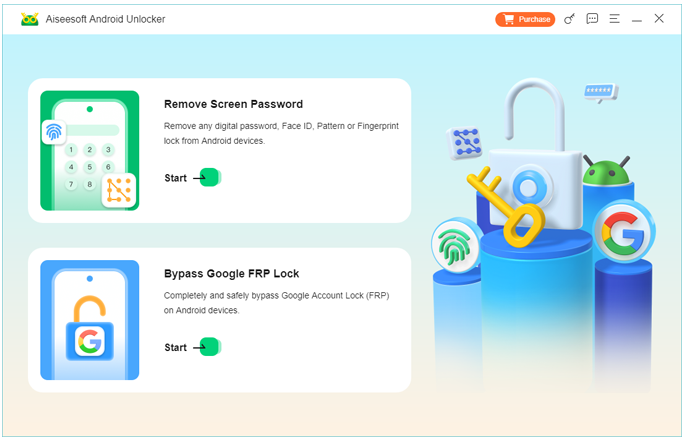
Step 2: Launch the software and select the Samsung screen unlocking feature.
Step 3: Connect your Samsung Galaxy A17 using a reliable USB cable.
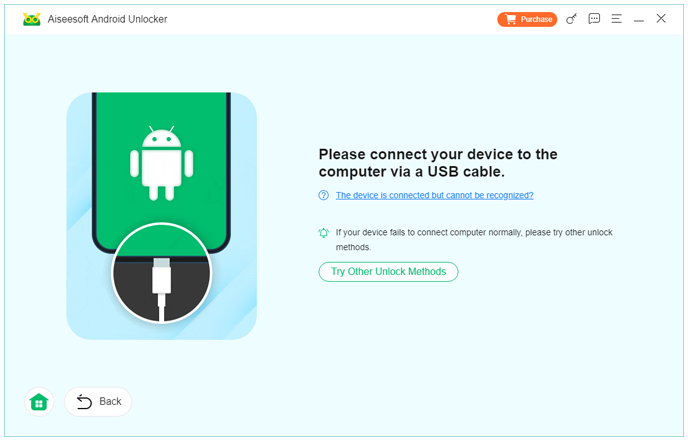
Step 4: Allow the software to detect the connected device.
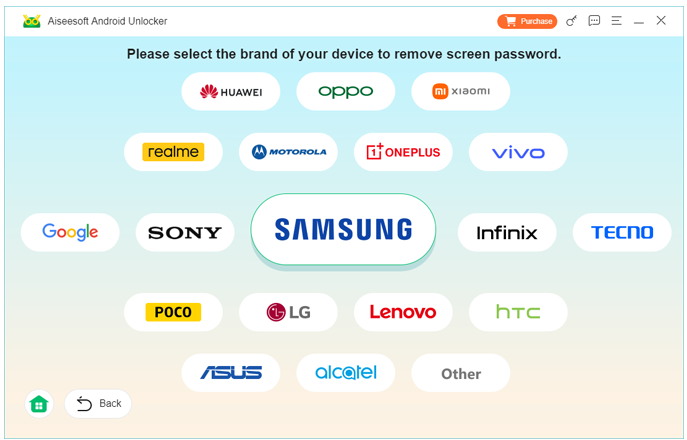
Step 5: Follow the on-screen instructions to enter the required mode.
Step 6: Begin the unlock procedure and wait while the software processes the device.
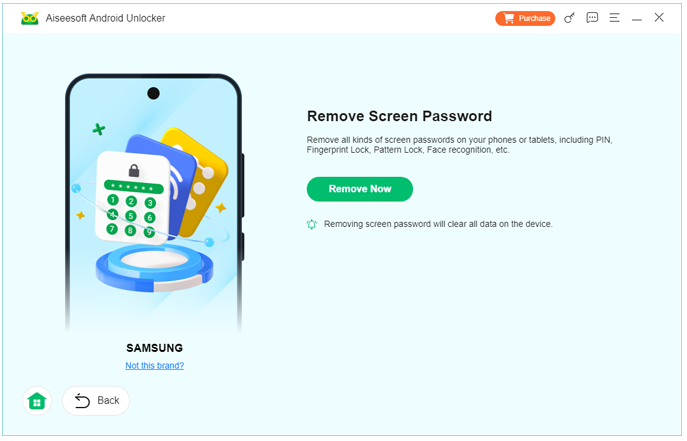
Step 7: Once completed, restart your phone and create a new lock screen credential.
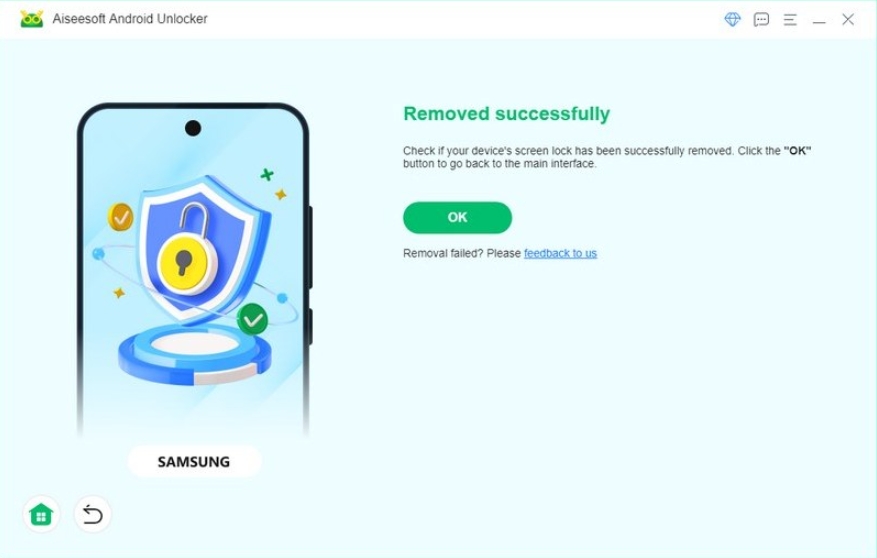
Important Details
- Keep battery power above 50%.
- Avoid disconnecting the device during processing.
- Use a stable computer connection.
- Set up a memorable but secure password afterward.
Method 2: Unlock Samsung Galaxy A17 Through Recovery Mode Reset
When direct password recovery is unavailable, Samsung's built-in recovery environment offers another way to regain access. This method involves resetting the device to factory settings, effectively removing the lock screen configuration.
While this approach is effective, users should understand the tradeoff. A factory reset typically removes locally stored data. Therefore, it is best suited for situations where regaining access is more important than preserving existing files or where backups already exist.
Although the process may sound intimidating, Samsung's recovery system is built into the device and can be accessed without requiring third-party services. Users who carefully follow the instructions can complete the reset process safely.
Detailed Steps
Step 1: Turn off the Samsung Galaxy A17 completely.
Step 2: Press the required hardware key combination to enter Recovery Mode.
Step 3: Use the volume buttons to navigate the recovery menu.
Step 4: Highlight "Wipe Data/Factory Reset."
Step 5: Confirm the selection.
Step 6: Allow the reset process to finish.
Step 7: Select "Reboot System Now."
Step 8: Complete device setup after restarting.
Important Details
- Local data may be erased.
- Device verification may be required during setup.
- Ensure sufficient battery power before beginning.
- Confirm account credentials beforehand.
Choosing the Right Unlocking Method
Not every lockout situation is identical.
Some users simply need a straightforward unlocking process and prefer software guidance. Others are comfortable using Samsung's built-in recovery tools and understand the implications of resetting the device.
The most effective solution often depends on factors such as:
- Whether important data remains on the phone.
- Access to account credentials.
- Technical experience level.
- Urgency of regaining access.
Regardless of the method chosen, patience is important. Rushing through the process can lead to avoidable mistakes.
What If a Samsung Galaxy A17 Suffers Data Loss After a Reset?
Many users focus entirely on unlocking their phone and overlook a second challenge that frequently appears afterward: missing data.
Imagine finally regaining access to your Samsung Galaxy A17 after a lock screen issue. The device powers on successfully, but your photos, videos, contacts, and documents are gone. This situation is surprisingly common, especially when factory resets are used to remove forgotten passwords.
Data loss can occur for several reasons:
- Factory reset procedures
- Failed software updates
- System crashes
- Virus infections
- Accidental deletion
- Boot-loop repairs
- Storage corruption
Among Samsung users, accidental data loss after troubleshooting is one of the most frequently reported concerns. Family photos, work documents, downloaded files, and messaging histories may disappear unexpectedly.
Fortunately, this doesn't always mean the data is permanently lost.
The iDATAPP website offers specialized data recovery solutions designed to help Android users recover deleted or inaccessible files. These recovery tools work by scanning storage areas for recoverable content that may still exist beneath the operating system's visible file structure.
Depending on the situation, recovery software may help restore:
- Photos and screenshots
- Videos and recordings
- Contacts
- SMS messages
- WhatsApp conversations
- Documents and PDFs
- Audio files
- SD card content
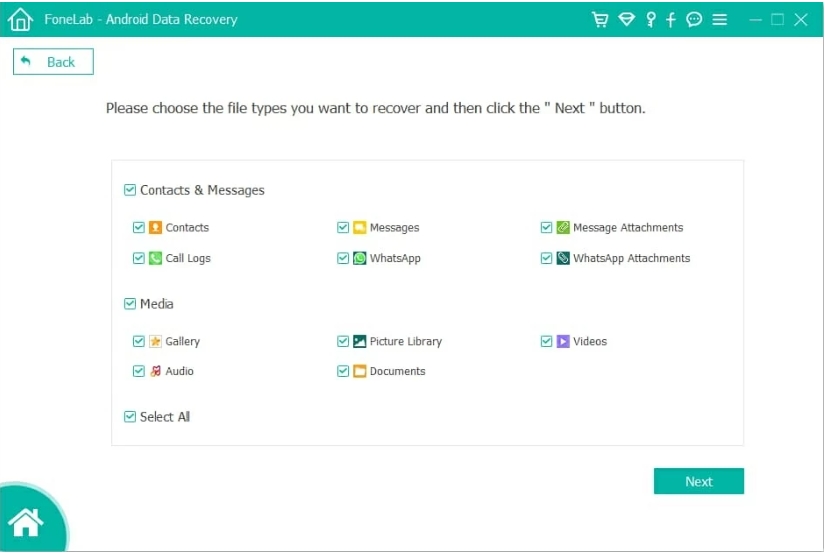
One important principle many users don't realize is that deleted data often remains physically stored until new information overwrites it. This means the chances of successful recovery are usually highest immediately after the loss occurs.
For example, if a Samsung Galaxy A17 undergoes a factory reset because of a forgotten password, users should avoid filling the device with new photos, videos, or applications until recovery attempts have been completed. Excessive usage increases the likelihood that deleted data will be overwritten permanently.
This is why many experienced technicians recommend addressing data recovery as soon as possible after discovering missing files.
The lesson is simple: unlocking the phone solves one problem, but protecting the information inside it is equally important. Understanding both recovery and prevention strategies helps Samsung users maintain control over their digital lives even when unexpected problems arise.
Frequently Asked Questions
1. Can I unlock a Samsung Galaxy A17 if I forgot my password?
Yes. Depending on your situation, you may use dedicated unlocking software or Samsung's recovery options to regain access.
2. Will unlocking my Samsung Galaxy A17 erase data?
The result depends on the method used. Some approaches focus on removing the lock screen, while factory resets generally erase local data.
3. What causes Samsung lock screen failures?
Forgotten passwords, software updates, biometric recognition issues, and repeated incorrect login attempts are among the most common causes.
Conclusion
Forgetting a Samsung Galaxy A17 password can feel stressful, but it doesn't have to become a permanent problem. By understanding the available recovery options, users can choose a solution that aligns with their needs and technical comfort level.
Whether you use iDATAPP Samsung Unlocker for a guided unlocking experience or rely on Samsung's built-in recovery tools, the goal remains the same: restoring access safely and efficiently. At the same time, it's wise to think beyond unlocking and prepare for related challenges such as accidental data loss. A combination of smart security habits, regular backups, and reliable recovery tools can help ensure that one forgotten password never becomes a major disruption.
 English
 Nederlands
 Tiếng Việt
 日本
日本 Español
 Português
 Deutsche
 Français
 Italiano
 Norsk
Norsk Suomalainen
 Svenska
 Dansk
Dansk Ελληνικά
 Türk
Türk русский
 हिंदी
हिंदी தமிழ்
தமிழ் Bahasa Melayu
 ไทย
ไทย 한국어
한국어 Română
 Polskie
 қазақ
қазақ Gaeilge
 繁體中文
繁體中文