
 iPhone Data Recovery
 iOS System Recovery
 iOS Backup & Restore
 iOS WhatsApp Transfer
 iOS FoneTrans
 MobieSync
 Android Data Recovery
 Broken Android Data Extraction
 Android Data Backup & Restore
 iPhone Unlocker
 Best Samsung Phone Unlock Tool
 Android Unlocker
 Win/Mac Data Recovery
 iDATAPP Screen Recorder
 2D&3D Video Converter
 Video Repair Software Ai
 AI Video Converter
 Ai Blu-ray Player
 POCO Phone Messages Recovery|Free Download and Try
Learn how to recover deleted text messages on POCO phones using professional recovery software, Mi Cloud backups, and system checks, with practical steps and expert-level insights.
How to Recover Deleted Text Messages on POCO Phone?
Losing text messages on a POCO phone is one of those problems that always seems minor—until it happens to you. One moment you’re clearing old conversations or fixing a laggy system, and the next moment an important SMS or verification message is gone. For POCO users running MIUI or HyperOS, message loss can happen for many reasons: accidental deletion, system updates, app conflicts, storage cleanups, or even silent crashes in the Messages app.
The good news is that deleted text messages are not always gone forever. In many cases, the data still exists somewhere on your device, cloud backup, or SIM storage. The real challenge is knowing where to look and which method actually fits your situation. This article breaks the problem down logically—why POCO messages disappear, what recovery options realistically exist, and how to recover deleted SMS step by step using three proven approaches.
Instead of repeating generic advice, we’ll walk through three practical recovery methods, explain when each one works best, and highlight important details POCO users often overlook. One of these methods uses a professional Android recovery solution from our own website, while the others rely on system-level or backup-based options—no third-party tools from other companies involved.
Guide List
- Why Do Text Messages Disappear on POCO Phones?
- Method 1: Recover Deleted POCO Text Messages Using Android Data Recovery
- Method 2: Restore Deleted Messages from Mi Cloud Backup(If Enabled)
- Method 3: Check SIM Card or Local Message Cache (Limited but Worth Trying)
- Data Loss After System Crash or Update
- FAQ
Why Do Text Messages Disappear on POCO Phones?
Before jumping into recovery, it helps to understand what actually happens when SMS messages are deleted on a POCO device.
On most POCO phones, deleting a message doesn’t instantly erase it from storage. The system simply marks the space as “available” for new data. Until that space is overwritten, recovery is often possible. However, continued phone usage—installing apps, receiving new messages, recording videos—can overwrite that data and make recovery harder or impossible.
Common causes of SMS loss on POCO phones include:
- Accidental deletion during bulk message cleanup
- System updates or HyperOS upgrades
- Clearing cache or storage optimization tools
- Factory reset without proper backup
- Malware or message app crashes
Because the cause matters, the recovery method should match the situation. Let’s explore the three most effective ways to recover deleted text messages on a POCO phone.
Method 1: Recover Deleted POCO Text Messages Using Android Data Recovery
When there is no usable backup—or when messages were deleted recently—professional Android recovery software offers the highest success rate. This method directly scans the internal storage of your POCO phone to locate deleted SMS data that hasn’t been overwritten.
Using Android Data Recovery from iDatapp, you can analyze message fragments stored in the system database and restore them selectively. Unlike cloud-based methods, this approach doesn’t depend on prior backups and works even when messages were deleted permanently from the Messages app.

This method is especially useful if:
- Messages were deleted accidentally
- You didn’t enable Mi Cloud or Google backup
- You need to preview messages before recovery
- The POCO phone still powers on normally
Steps to Recover Messages Using Android Data Recovery
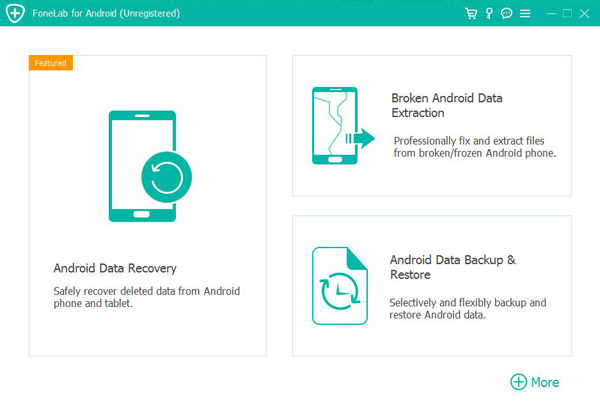
1.Download and install Android Data Recovery on your computer
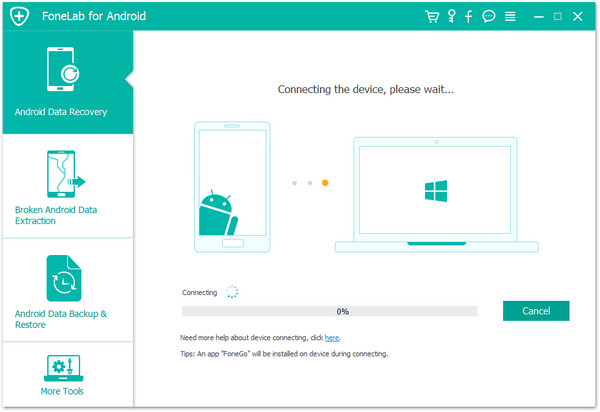
2.Connect your POCO phone to the computer using a USB cable
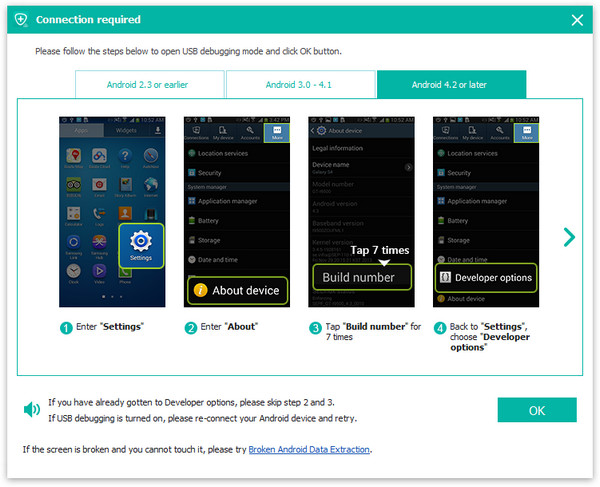
3.Enable USB debugging on your POCO device (Developer Options)
5.Select Messages as the file type to scan
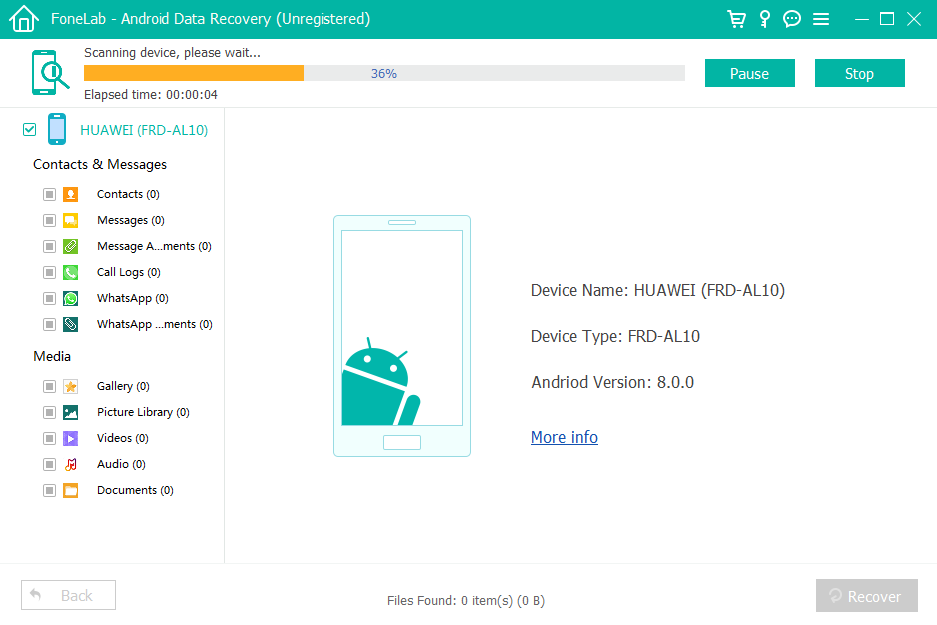
6.Preview deleted SMS messages found in the scan
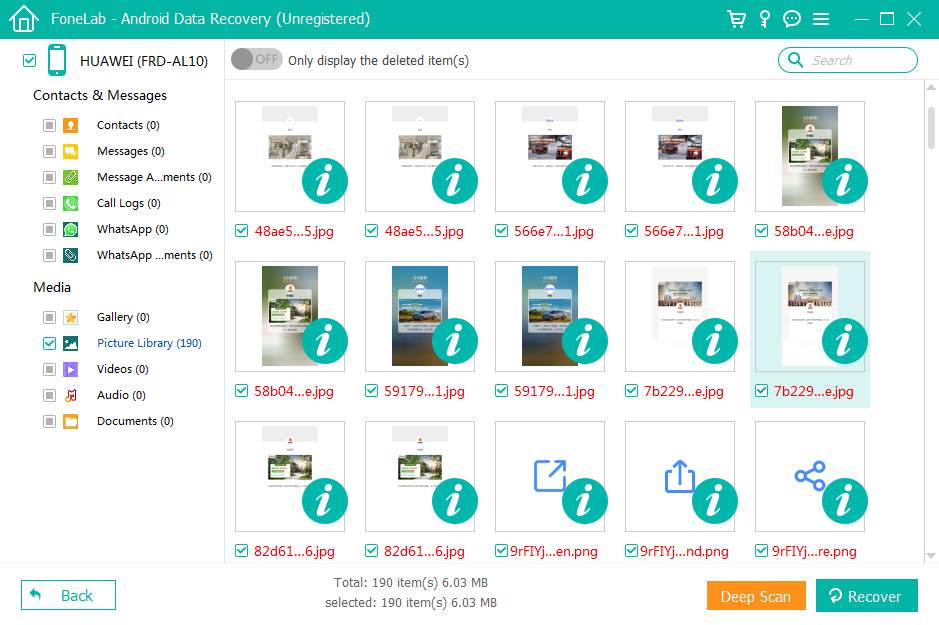
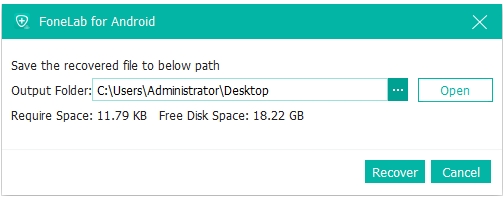
7.Select the messages you want and click Recover
Important Tips:
- Stop using your POCO phone immediately after message deletion
- Avoid system updates or app installations before recovery
- The sooner you scan, the higher the recovery success rate
Method 2: Restore Deleted Messages from Mi Cloud Backup(If Enabled)
POCO phones are part of the Xiaomi ecosystem, which means many users unknowingly have Mi Cloud backups enabled. If your SMS messages were synced before deletion, you may be able to restore them through Mi Cloud.
This method works best when:
- Mi Cloud SMS backup was enabled
- Messages were deleted after the last backup
- You’re willing to restore data system-wide
However, Mi Cloud restoration is not selective. Restoring SMS messages may overwrite current data on your phone, so caution is required.
Steps to Restore Messages from Mi Cloud
- Visit the Mi Cloud website and log in with your Xiaomi account
- Check whether SMS messages are included in your backup
- On your POCO phone, go to Settings > Mi Account > Mi Cloud
- Choose Restore from backup
- Select the backup that contains your deleted messages
- Complete the restore process and reboot the device
Important Details:
- Existing messages may be replaced
- Requires the same Mi account used previously
- Internet connection is mandatory
Method 3: Check SIM Card or Local Message Cache (Limited but Worth Trying)
While modern POCO phones store most messages internally, some SMS data—especially older or carrier-specific messages—may still exist on the SIM card or within temporary caches.
This method has limited recovery potential but is useful when:
- Messages were stored on SIM by default
- The deletion happened recently
- No backup or software recovery is available
Steps to Check SIM or Cached Messages
- Open the Messages app on your POCO phone
- Go to Settings > Advanced > SIM messages
- Review stored messages (if available)
- Restart the phone to reload message cache
- Disable and re-enable the Messages app
Important Notes:
- SIM storage is very limited
- This method won’t recover permanently deleted messages
- Results vary by carrier and device model
Data Loss After System Crash or Update
Text message loss isn’t the only data problem POCO users experience. One of the most frequent issues reported with POCO phones—especially after major MIUI or HyperOS updates—is system-related data loss.
After an update, users often notice:
- Messages missing or unreadable
- Contacts disappearing
- Photos and documents inaccessible
- Apps crashing repeatedly
In many cases, the system update corrupts existing data partitions rather than deleting files outright. This creates a situation where data still exists but becomes invisible to the user interface.
For these scenarios, professional Android recovery and data management tools from iDatapp are designed to handle more complex problems such as:
- Data extraction after system crashes
- Recovering data from boot-looped POCO devices
- Exporting phone data when the screen is damaged
- Recovering files after rooting errors or failed updates
Unlike simple SMS recovery, system-related data loss requires deeper scanning and structured data rebuilding. Acting quickly—before attempting multiple resets—is critical. Many users make the situation worse by factory resetting their POCO phone, which dramatically reduces recovery chances.
The key lesson here is prevention: frequent backups and cautious updates matter. But when prevention fails, having the right recovery solution can make the difference between permanent loss and full restoration.
FAQ
Can I recover deleted text messages on POCO without a backup?
Yes. If the data hasn’t been overwritten, recovery software can scan internal storage and retrieve deleted SMS.
How long do deleted messages stay recoverable on a POCO phone?
There’s no fixed time. Recovery depends on phone usage after deletion and whether storage blocks were overwritten.
Will restoring from Mi Cloud delete my current messages?
Yes, Mi Cloud restoration may overwrite existing SMS data.
Does rooting a POCO phone increase recovery success?
Rooting may allow deeper scans but also carries risks. It’s not always required.
Are WhatsApp or app messages recoverable using the same methods?
SMS recovery differs from app-based messaging. App messages depend on their own backup systems.
Conclusion
Recovering deleted text messages on a POCO phone is possible through software-based recovery, Mi Cloud backups, or limited local storage checks. Acting quickly and choosing the right method greatly improves success.
 English
 Nederlands
 Tiếng Việt
 日本
日本 Español
 Português
 Deutsche
 Français
 Italiano
 Norsk
Norsk Suomalainen
 Svenska
 Dansk
Dansk Ελληνικά
 Türk
Türk русский
 हिंदी
हिंदी தமிழ்
தமிழ் Bahasa Melayu
 ไทย
ไทย 한국어
한국어 Română
 Polskie
 қазақ
қазақ Gaeilge
 繁體中文
繁體中文