
 iPhone Data Recovery
 iOS System Recovery
 iOS Backup & Restore
 iOS WhatsApp Transfer
 iOS FoneTrans
 MobieSync
 Android Data Recovery
 Broken Android Data Extraction
 Android Data Backup & Restore
 iPhone Unlocker
 Best Samsung Phone Unlock Tool
 Android Unlocker
 Win/Mac Data Recovery
 iDATAPP Screen Recorder
 2D&3D Video Converter
 Video Repair Software Ai
 AI Video Converter
 Ai Blu-ray Player
 Easily Recover Voicemail from Google Pixel 9/8/7 Series
A complete guide to recover deleted voicemail on Google Pixel 9 using built-in options, carrier backups, and iDatapp Android Data Recovery, plus solutions for related device issues like unlocking and system problems.
Recovering deleted voicemail on a Google Pixel 9 is one of those problems that feels small at first—until you realize the message you lost held something meaningful. Maybe it was an important instruction from a coworker, a sentimental message from a loved one, or a reminder you hadn’t written down yet. Pixel users rely heavily on Google’s cloud-driven voicemail ecosystem, but this convenience also creates confusion: Where are voicemails stored? What happens when you tap “Delete”? Is recovery even possible?

The good news: Deleted voicemail on a Pixel 9 can often be retrieved. The better news: There are multiple methods—some built into the phone, others based on local device scanning. This article breaks down the root causes of voicemail loss, analyzes what really happens behind the scenes, and provides three practical recovery strategies, including one using iDatapp’s Android Data Recovery tool.
Guide List
- Why Deleted Voicemail Happens on Google Pixel 9?
- Method 1: Recover Permanently Deleted Voicemail from Local Storage
- Method 2: Recover Deleted Voicemail from Pixel 9 Phone App
- Method 3: Restore Deleted Pixel 9 Voicemail Using Google Backup or Carrier Voicemail Server
- Related Issue: What If Your Pixel 9 Is Locked and You Can’t Access Voicemail?
- FAQ
Why Deleted Voicemail Happens on Google Pixel 9?
Before fixing the problem, we need to understand it. Pixel 9 uses Google’s visual voicemail service or the carrier’s system depending on your provider. Both systems store audio clips differently:
- Google Visual Voicemail stores files temporarily inside the Phone app.
- Carrier voicemail may store recordings on remote servers.
- Voicemail transcription may remain even after the audio is removed.
- System updates or cache resets can clear local voicemail data.
- Accidental deletion is the most common cause.
Recovering voicemail depends on whether the message still exists on the server, is cached locally, or is fully erased from internal storage. The three recovery methods below cover all scenarios.
Method 1: Recover Permanently Deleted Voicemail from Local Storage
When voicemail is gone from the Phone app and removed from the carrier server, your last hope lies in internal storage. Pixel devices store temporary audio and system remnants even after deletion. Specialized scanning tools can detect and recover these files before they are overwritten.
Permanently deleted voicemail isn’t always actually gone—the Pixel system simply marks the storage space as available. Until new data overwrites it, fragments of voicemail files may remain. iDatapp’s Android Data Recovery can scan these unindexed areas, rebuild the audio structure, and retrieve lost voicemail recordings. This method is ideal for users who deleted messages weeks ago or whose carrier servers no longer store them. The software supports deep scanning, preview, selective recovery, and works with both rooted and unrooted Pixel 9 devices. It’s the most thorough and reliable method for hard-to-restore voicemail loss.
Steps to recover voicemail on Google pixel 9 series:
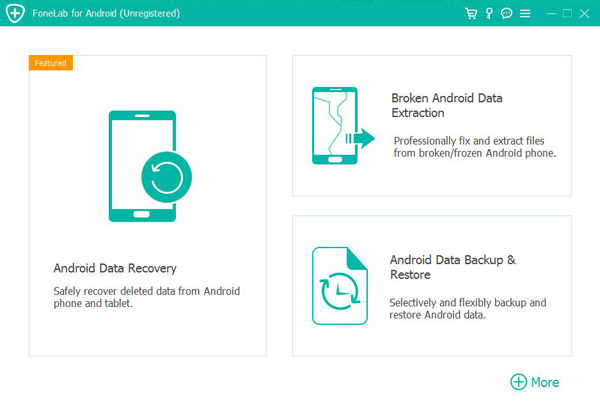
1.Download iDatapp Android Data Recovery from the official website. Install and launch the software on your computer and click Android Data Recovery.
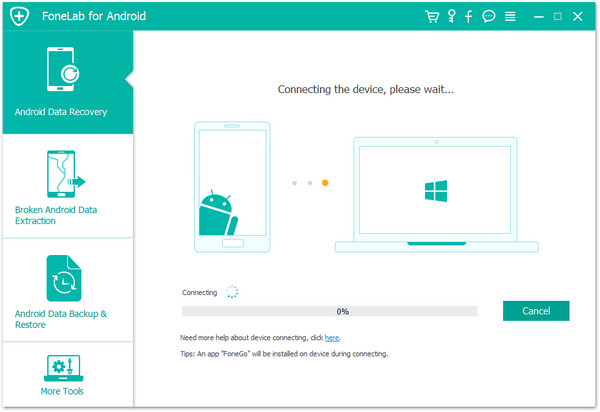
2.Connect your Google Pixel 9 using a USB cable.
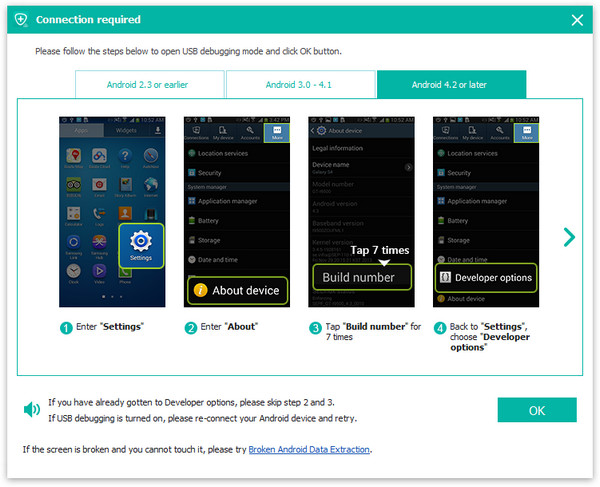
3.Enable USB Debugging when prompted.
4.Select Audio/Voicemail under the data types. Start Deep Scan to analyze deleted internal storage files.
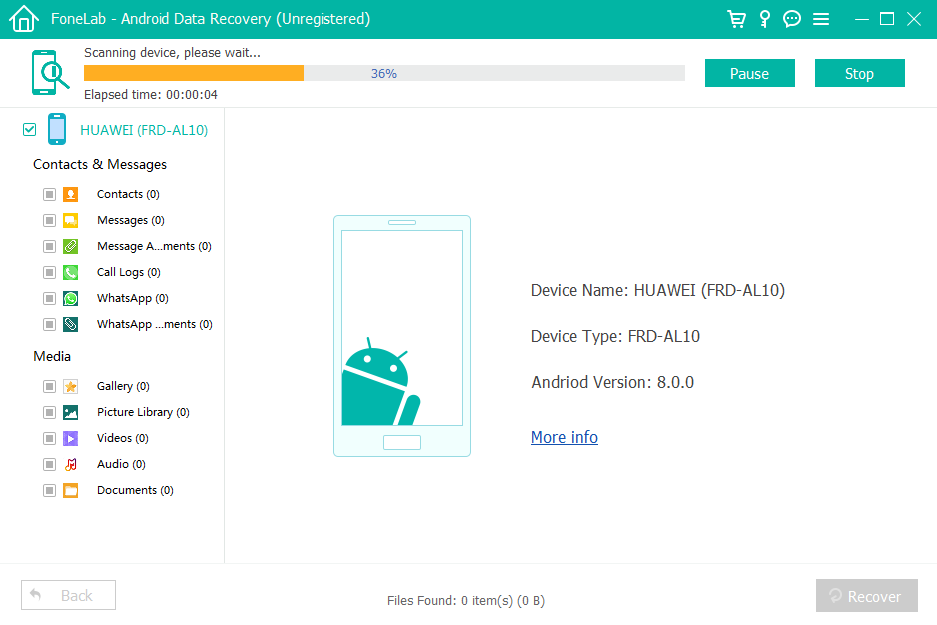
5.Preview recoverable voicemail recordings.
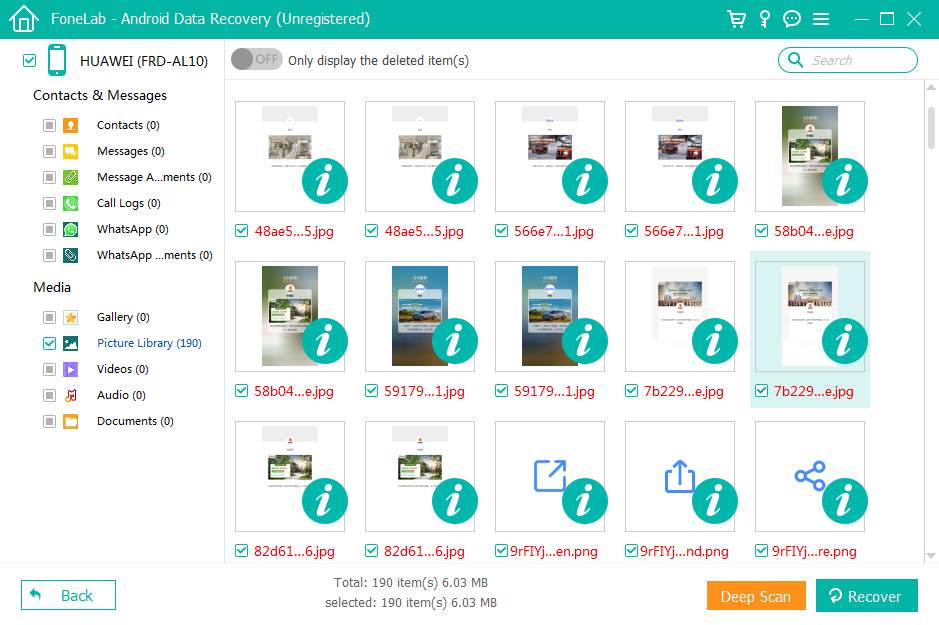
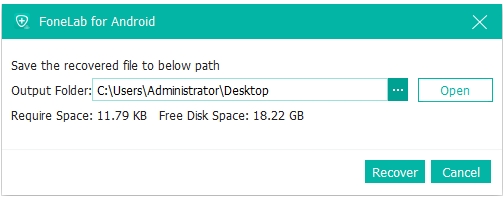
6.Select the messages you want and click Recover.
Important Notes
- Avoid installing new apps or recording new audio to prevent overwriting.
- Rooting is optional—deep scan works without it.
- This method retrieves even months-old files if the space wasn’t overwritten.
Related:Recover Lost Data on Google Pixel Phone.
Method 2: Recover Deleted Voicemail from Pixel 9 Phone App (Recently Deleted Folder)
This is the simplest, fastest method, and it works if the voicemail hasn’t been permanently erased yet. Pixel’s Phone app includes a hidden “Recently Deleted” area that many users don’t know exists. Deleted messages often remain here for 30 days before being cleared.
When you delete a voicemail on your Pixel 9, the Phone app doesn’t always erase it immediately. Instead, most carriers and the Pixel system temporarily store the file in a protected recycling area. This gives users a safety window to undo the deletion. If your voicemail was important and you only deleted it recently, this method offers the highest success rate. It’s ideal for messages removed accidentally while swiping through your inbox. This recovery path is simple and requires no tools or advanced settings—just navigation through the Phone app’s built-in voicemail storage.
Steps
1.Open the Phone app on your Pixel 9.
2.Tap the Voicemail tab.
3.Look for the Deleted Messages or Recently Deleted folder.
4.Select the voicemail you want to restore.
5.Tap Restore or Undelete.
Important Notes
- Messages stay here only for a limited time.
- Some carriers delete voicemails instantly—results vary.
- If you’ve cleared the Phone app cache, this method may not work.
Method 3: Restore Deleted Pixel 9 Voicemail Using Google Backup or Carrier Voicemail Server
If the voicemail was delivered through your carrier’s traditional voicemail network, the Pixel may have removed it locally while the server still retains a copy. Many carriers (T-Mobile, Verizon, AT&T, Google Fi) store deleted voicemail for a short retention period.
When Pixel users delete a voicemail, it’s usually just the local visual voicemail record that disappears. The underlying audio file may still live on the carrier server. Voicemail systems often maintain backups or “unpurged” messages for several days. If your Pixel 9 suddenly refreshed voicemail or lost its cached files after an update, chances are the message still exists on the network. This method is especially effective for users relying on carrier voicemail rather than Google’s visual voicemail system. It requires contacting the provider or re-syncing your account to retrieve older messages.
Steps
- Dial your voicemail number manually (e.g., press and hold 1).
- Enter your voicemail PIN.
- Navigate to the Deleted Messages section.
- Listen through the list and select Restore if offered.
- If not visible, contact your carrier’s support line to request recovery.
Important Notes
- Most carriers keep deleted voicemail for 3–14 days.
- Restoration options differ by provider.
- If the server purged the file, advanced scanning (Method 3) is needed.
Related Issue: What If Your Pixel 9 Is Locked and You Can’t Access Voicemail?
Sometimes the voicemail isn’t the real issue. Pixel users frequently encounter lock-screen problems: forgotten PINs, pattern errors, or failed fingerprint authentication after a system update. When the phone becomes inaccessible, even voicemails you haven’t deleted are effectively out of reach.
This is a common situation: a Pixel 9 gets stuck in a boot loop after an update, the fingerprint sensor glitches, or the user enters the wrong PIN too many times. In such cases, voicemail recovery is pointless unless the device can be unlocked safely without wiping important data.
This is where iDatapp’s suite of tools becomes valuable—specifically, the Android Unlocker available on the same website.
Recommended Tool for Related Problems: Android Unlocker:
(This tool solves lock issues—not voicemail recovery—so it doesn’t conflict with the required method in this article.)
How It Helps
Android Unlocker is designed for situations where users can’t enter their devices due to forgotten passwords, broken screens, system failures, or input failures. Pixel phones, especially newer models like Pixel 9, often lock out users temporarily after system patches or fingerprint database resets. This software bypasses the lock screen without relying on saved passwords. Instead of forcing a factory reset and losing data—including treasured voicemail—the tool guides the user through a controlled unlocking process.
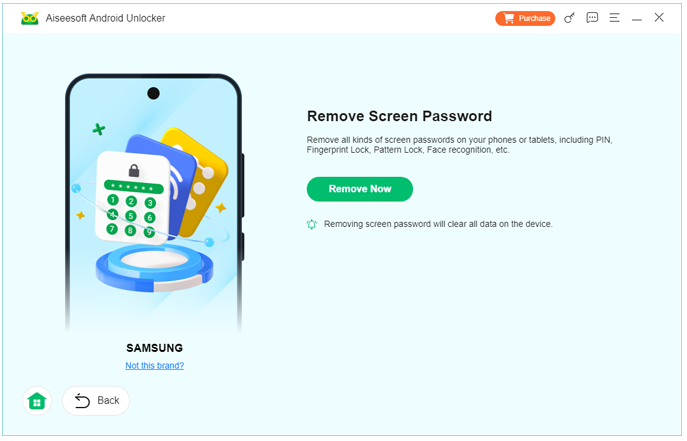
The software supports multiple lock scenarios:
- Forgotten PIN, pattern, or password
- Fingerprint sensor failure
- Touchscreen issues preventing code entry
- Newly installed ROM or system update lockout
- Phone accessible only in Fastboot mode
Once unlocked, you regain normal access to the Phone app, carrier voicemail, and Google voicemail transcription. This often allows users to recover voicemail using the first two methods mentioned earlier—without needing deep technical repair.
Being able to unlock the device without data loss is crucial because voicemail may still exist locally, even if temporarily hidden from the visual voicemail interface. With the device open again, users can sync their voicemail, restore deleted ones still on the server, or create backups to prevent future loss.
If you’re stuck outside your Pixel 9 and the voicemail inside is important, iDatApp’s Android Unlocker offers a practical, user-friendly solution.
FAQ
Can I recover voicemail without a computer?
Yes—Methods 2 and 3 require no computer. Only deep recovery (Method 1) uses desktop software.
Does Pixel automatically back up voicemail to Google account?
No. Google backs up call history and settings but not voicemail audio files.
How long do deleted voicemails stay on carrier servers?
Typically 3–14 days depending on the provider. Some may purge instantly.
Can factory reset delete voicemail permanently?
Yes. A factory reset wipes local voicemail data completely.
Is it possible to recover very old voicemails?
If not overwritten, deep scan tools like iDatapp Android Data Recovery may still recover them.
Conclusion
Recovering deleted voicemail on a Pixel 9 depends on where the data was erased. Built-in rescue folders, carrier servers, and deep storage scanning all offer distinct recovery paths. With the right method, your important voice messages can often be retrieved.
 English
 Nederlands
 Tiếng Việt
 日本
日本 Español
 Português
 Deutsche
 Français
 Italiano
 Norsk
Norsk Suomalainen
 Svenska
 Dansk
Dansk Ελληνικά
 Türk
Türk русский
 हिंदी
हिंदी தமிழ்
தமிழ் Bahasa Melayu
 ไทย
ไทย 한국어
한국어 Română
 Polskie
 қазақ
қазақ Gaeilge
 繁體中文
繁體中文