
 iPhone Data Recovery
 iOS System Recovery
 iOS Backup & Restore
 iOS WhatsApp Transfer
 iOS FoneTrans
 MobieSync
 Android Data Recovery
 Broken Android Data Extraction
 Android Data Backup & Restore
 iPhone Unlocker
 Best Samsung Phone Unlock Tool
 Android Unlocker
 Win/Mac Data Recovery
 iDATAPP Screen Recorder
 2D&3D Video Converter
 Video Repair Software Ai
 AI Video Converter
 Ai Blu-ray Player
 Remove Google Account from LG Phone After Factory Reset Free
Locked out after resetting your LG phone? This guide explains why Google account verification appears and shows three proven ways to remove it safely and regain full access.
How to Remove Google Account from LG Phone After Factory Reset?
Factory Reset Protection (FRP) is designed to protect your data, but for many LG users, it becomes an unexpected roadblock after a reset. You reset your LG phone—maybe to fix system lag, prepare it for resale, or recover from a crash—only to find it locked at the “Verify your account” screen. The phone demands the Google account that was previously synced, and without it, you’re stuck.

This article dives deep into why this happens, what options actually work, and how to remove a Google account from an LG phone after factory reset in a practical, realistic way. Instead of repeating surface-level advice, we’ll analyze the problem, explore three proven methods (including one professional solution from our own website), and expand into related LG phone issues many users face after resets.
Guide List
- Why LG Phones Ask for the Old Google Account?
- Method 1: Recover and Verify the Original Google Account (Official & Safe)
- Method 2: Remove Google Account from LG Phone Using Android Unlocker (Recommended)
- Method 3: LG Account Login or Official Service Unlock (Case-Based)
- LG Phone Data Loss After Reset or System Failure
- FAQ
Why LG Phones Ask for the Old Google Account?
When you reset an LG phone running Android 8.0 or later, Google’s Factory Reset Protection automatically activates if a Google account was signed in before the reset. FRP links the device to the last synced account as a theft-prevention mechanism.
The problem is that legitimate users often trigger FRP unintentionally:
- Buying a second-hand LG phone without full account removal
- Forgetting the original Google email or password
- Resetting a device after a system crash or bootloop
- Resetting from Recovery Mode instead of system settings
Once FRP is triggered, the phone is technically functional but locked out at the setup screen. You cannot access settings, home screen, or data.
To solve this, you need methods that work after the reset—not before. Below are three carefully selected solutions that LG users can apply depending on their situation.
Method 1: Recover and Verify the Original Google Account (Official & Safe)
Best for: Users who are the original owner and may still recover account access.
This is the most straightforward and safest method because it works within Google’s official security framework. If you can regain access to the original Google account used on the LG phone, FRP will unlock automatically during setup. Many users assume they’re permanently locked out, but in reality, Google offers multiple recovery paths that work even years later.
This method is ideal when you remember at least some account details, such as the email, phone number, or recovery email. It does not require extra tools, cables, or technical steps—just patience.
Steps to Use Google Account Recovery:
- On another device, go to Google’s account recovery page
- Enter the email address previously used on the LG phone
- Follow prompts to verify identity (OTP, recovery email, old password)
- Reset the password successfully
- Turn on the LG phone and connect it to Wi-Fi
- Enter the recovered Google account credentials

Important Notes
- Password changes may require a 24–72 hour waiting period before FRP unlocks
- Ensure stable Wi-Fi during setup
- This method does not erase data further—it only unlocks verification
Method 2: Remove Google Account from LG Phone Using Android Unlocker (Recommended)
Best for: Users who cannot recover the original Google account.
If account recovery fails or the phone was purchased second-hand, a professional FRP removal tool becomes the most realistic solution. iDatapp Android Unlocker is designed to remove Google account verification after factory reset on LG phones without relying on the previous credentials.
Unlike risky online tricks or outdated manual bypasses, this method is structured, updated, and works with many LG models across different Android versions.
This approach focuses on removing the FRP lock safely while preserving system integrity.
How iDatapp Android Unlocker Solves the Problem?
- Removes Google account verification after reset
- Supports LG phones with multiple Android versions
- No need for Google email or password
- PC-based, guided process with clear instructions
Step-by-Step Instructions
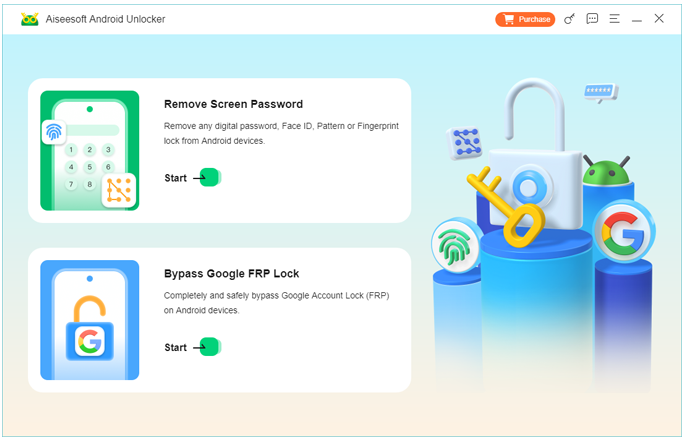
1.Install iDatapp Android Unlocker on your computer. Launch the program and select Bypass Google FRP Lock.
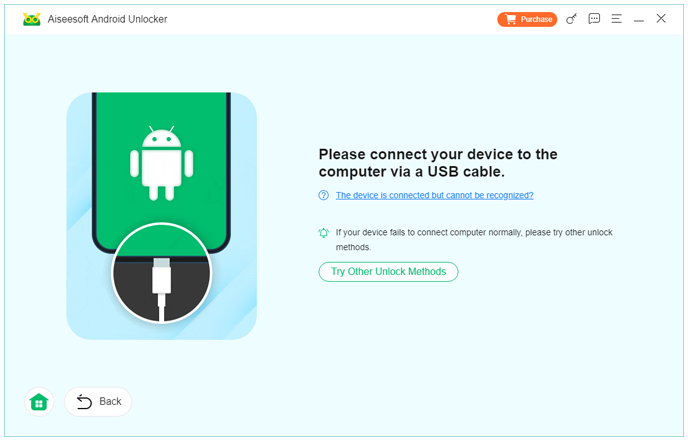
2.Connect your LG phone to the PC via USB cable
3.Choose your LG device brand and Android version
4.Follow on-screen instructions to enable required connection settings
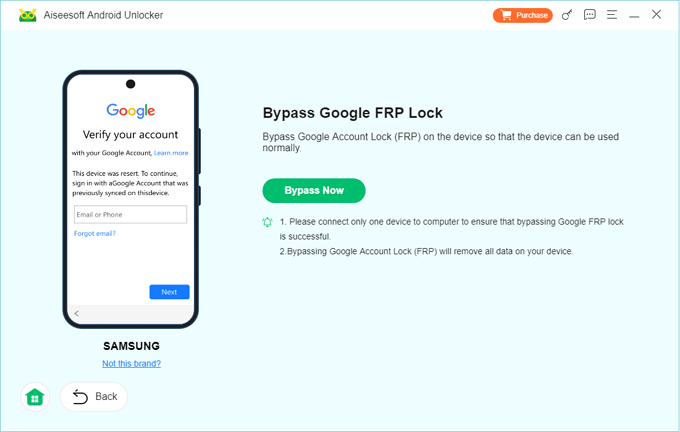
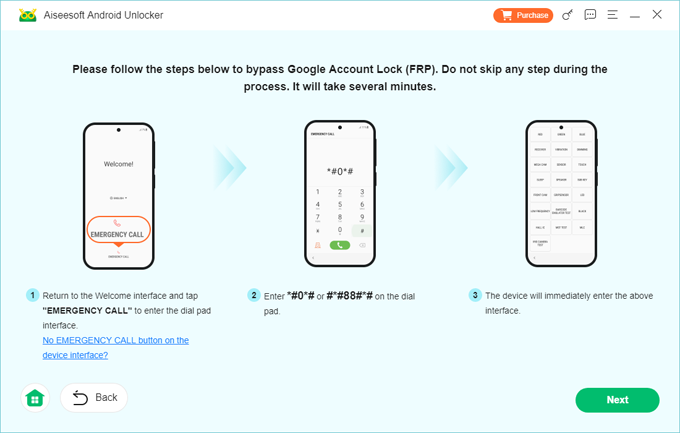
5.Wait while the software removes the Google account lock.
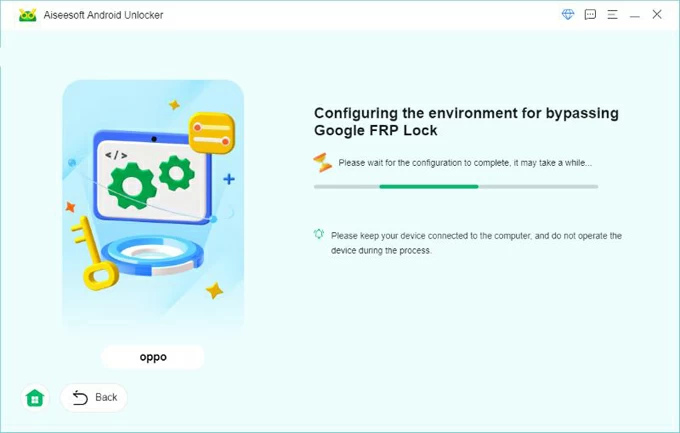
6.Restart the LG phone and complete setup without verification
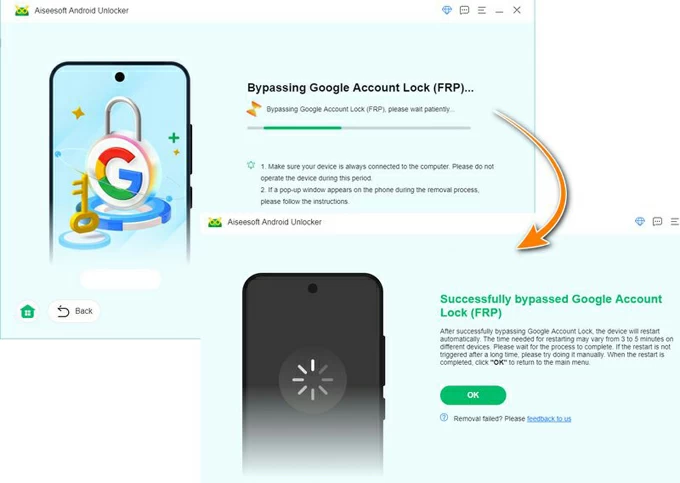
Details
- Use an original USB cable for stable detection
- Do not disconnect the phone during the process
- This method is intended for legal device owners
Method 3: LG Account Login or Official Service Unlock (Case-Based)
Best for: Users with proof of purchase or an existing LG account.
Some LG phones allow limited recovery through an LG account or official service channels. While not guaranteed, this option works in specific scenarios—especially when the device was registered with LG services before the reset.
If you have purchase documentation or the phone is still under warranty, LG service centers can remove the Google account lock after verifying ownership.
How This Method Works?
- Attempt to sign in using the linked LG account during setup (if prompted)
- If unsuccessful, gather proof of purchase (receipt, IMEI box)
- Visit an authorized LG service center
- Request FRP removal due to ownership verification
- Technicians may unlock or reflash the device
Things to Consider
- Availability varies by region
- Service fees may apply
- Processing time is unpredictable
- Not all LG models are supported
LG Phone Data Loss After Reset or System Failure
A common issue LG users face—especially after dealing with FRP—is unexpected data loss. Many resets happen due to bootloops, system crashes, failed updates, or virus-related slowdowns. In these situations, users often reset the phone urgently, only to realize later that important photos, messages, or documents were not backed up.
LG devices, like many Android phones, are particularly vulnerable to data loss when:
- The system freezes repeatedly
- A forced factory reset is performed
- Rooting or flashing fails
- Malware corrupts internal storage
In such cases, standard backups may not exist, and Google Drive sync might be incomplete. This is where professional Android data recovery solutions become essential.
iDatapp provides dedicated tools for Android data recovery, designed to extract recoverable data from LG phones affected by system errors, accidental deletion, or software malfunctions. These tools focus on scanning device storage and SD cards deeply, allowing users to retrieve lost files even when the phone behaves abnormally.
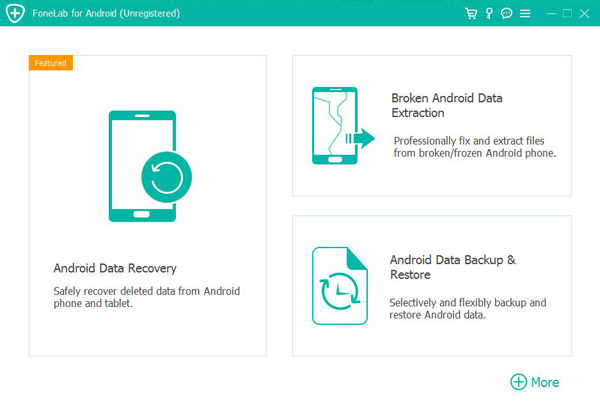
This type of solution is especially valuable for LG users who reset their phone to fix issues but later realize the reset caused more loss than relief. Instead of accepting permanent data loss, targeted recovery software offers a second chance—without requiring advanced technical skills.
FAQ
Can I remove Google account from LG phone after reset without a PC?
In most cases, no. Modern Android security patches block manual bypass methods. A PC-based solution is usually required.
Does factory reset remove Google account permanently?
No. Factory reset triggers FRP if a Google account was previously synced.
Is FRP removal legal?
Yes, if you are the rightful owner of the device. Always ensure ownership before unlocking.
Will removing Google account delete my data?
After reset, data is already erased. FRP removal does not cause additional data loss.
Which LG models are affected by Google account lock?
Most LG phones running Android 8.0 and above, including G, V, and K series.
Conclusion
Removing a Google account from an LG phone after factory reset can feel overwhelming, but it’s solvable. Whether you recover your account, use professional unlocking software, or verify ownership through LG, the right method restores access safely and effectively.
 English
 Nederlands
 Tiếng Việt
 日本
日本 Español
 Português
 Deutsche
 Français
 Italiano
 Norsk
Norsk Suomalainen
 Svenska
 Dansk
Dansk Ελληνικά
 Türk
Türk русский
 हिंदी
हिंदी தமிழ்
தமிழ் Bahasa Melayu
 ไทย
ไทย 한국어
한국어 Română
 Polskie
 қазақ
қазақ Gaeilge
 繁體中文
繁體中文