
 iPhone Data Recovery
 iOS System Recovery
 iOS Backup & Restore
 iOS WhatsApp Transfer
 iOS FoneTrans
 MobieSync
 Android Data Recovery
 Broken Android Data Extraction
 Android Data Backup & Restore
 iPhone Unlocker
 Best Samsung Phone Unlock Tool
 Android Unlocker
 Win/Mac Data Recovery
 iDATAPP Screen Recorder
 2D&3D Video Converter
 Video Repair Software Ai
 AI Video Converter
 Ai Blu-ray Player
 How to Use vnRom Bypass FRP on Android 15?
Learn updated, working ways to use vnRom FRP Bypass on Android 15, plus reliable alternatives and recovery tools. Includes step-by-step vnRom, manual, and iDatapp software solutions.
How to Use vnRom Bypass FRP on Android 15? (Working Solutions & Real Steps)
Android 15 brought a fresh layer of interface polish, performance boosts, and—importantly—stronger Google FRP (Factory Reset Protection) security. These improvements are great when you own the device, but they become a real obstacle when you’re stuck on an FRP lock after a reset. This is the exact scenario where users often search for vnRom Bypass FRP, hoping for a straightforward workaround.

But the reality is a little more complicated.
FRP has evolved over the past two Android generations. Methods that worked smoothly on Android 12 or Android 13 are frequently patched in Android 14/15. Many old vnRom tricks—such as web sign-in loops or exploit-based menu bypasses—no longer function consistently.
So the core question becomes:
Can you still use vnRom Bypass FRP on Android 15? And if yes, what alternatives exist when the classic methods fail?
This article breaks the entire problem down for you—from the underlying FRP challenge to three practical, step-by-step solutions (including one using our software from iDatapp Android Unlocker). The goal isn't to repeat the same instructions you see everywhere but to give you clear, updated, and realistic ways to bypass FRP on Android 15.
Let’s start by understanding what you’re dealing with.
Guide List
- Understanding FRP on Android 15 (Why vnRom Isn’t Always Enough)
- Method 1: Updated vnRom Bypass FRP Method for Android 15
- Method 2: Android 15 Emergency Shortcut Trick (No Software Needed)
- Method 3: 100% Working FRP Removal With iDatapp Android Unlocker
- Related Android 15 Problem: Data Loss After Reset (and How to Recover It)
- FAQ Section
Understanding FRP on Android 15 (Why vnRom Isn’t Always Enough)
FRP is tied directly to your Google account. When the device is reset without removing the Google account first, Android demands the previous login credentials during setup. The whole purpose is to protect stolen phones from being wiped and reused.
Android 15, however, includes:
- Enhanced server-side FRP enforcement
- Stricter checks on “unexpected” setup flows
- Blocked access to many browser-based bypass pages
- Limited access to accessibility and system-settings entry points
This means that vnRom FRP bypass links may still work on some models, but they often fail on Samsung, Pixel, OPPO, Vivo, Xiaomi, and Motorola devices updated to Android 15 security patches.
That’s why this guide provides three updated, working approaches:
- vnRom FRP Bypass (Updated Browser Entry Method)
- Android 15 Emergency Shortcut Method (No Software)
- Professional Bypass With iDatapp Android Unlocker (recommended & stable)
After the three solutions, we’ll discuss one related problem Android 15 users commonly face—data loss during resets—and match it with another tool from idatapp.com.
Let’s get into the fixes.
Method 1: Updated vnRom Bypass FRP Method for Android 15 (Browser-Based Access)
Although many direct vnRom URLs are blocked on the newest security patches, some Android 15 devices still allow limited browser access using the network login trick. This method works best on brands that haven’t locked the Quick Settings dropdown completely. It doesn’t require a PC or any paid software, but reliability varies across devices and patch levels. It’s worth trying first because of its simplicity. You only need Wi-Fi, patience, and the ability to trigger a browser window from the setup screen.
Steps:
1.Power on your Android 15 device and proceed to the Wi-Fi connection screen.
2.Connect to Wi-Fi → tap “Sign-in Required” → open the network details page.
3.Select “View Certificate” → Browser (varies by device; sometimes “Help” also works).
4.When the browser opens, type:
- vnrom.net/bypass
5.Download the compatible APKs (FRP Bypass APK + Android Settings Shortcut).
6.Install both APKs using the on-screen installer.
7.Open Settings → General Management → Reset→ Factory Data Reset.
8.Restart the device → complete the setup normally.
Important details:
- Some devices block APK installation—if you can’t install, skip to Method 3.
- If vnRom’s main domain is blocked, try alternate mirrors.
- Browser entry point may require multiple attempts.
Method 2: Android 15 Emergency Shortcut Trick (No Software Needed)
Android 15 patches most traditional FRP loopholes, but certain devices still allow access to hidden menus using emergency dialer codes and accessibility shortcut stacking. This method doesn’t rely on vnRom or external software. Instead, it exploits the built-in accessibility system to open Settings from the locked setup screen. It works particularly well on select Samsung, Motorola, and older Qualcomm-based models that still expose certain system toggles after reset.
Steps:
1.On the Google verification screen, tap Emergency Call.
2.Enter: ##1357946##
(or attempt 911, then quickly tap “Add Contact” → “Settings”)
3.Choose Accessibility settings when prompted.
4.Enable Accessibility Menu Shortcut.
5.Go back → tap the Accessibility shortcut icon (bottom-right corner).
6.It should open full Settings.
7.Go to: Accounts → Add new Google account.
8.Reboot the device → setup screen should now accept your new account.
Important details:
- Codes differ by device; some may not work at all.
- If Settings doesn’t open, try toggling all accessibility features.
- Google patches these methods frequently—use while available.
Method 3: 100% Working FRP Removal With iDatapp Android Unlocker
When vnRom and manual tricks fail—which is common on Android 15—the most reliable approach is to use a specialized FRP removal tool. iDatapp Android Unlocker is built to handle new Android 15 security systems across Samsung, Pixel, Xiaomi, OPPO, and more. Unlike typical bypass tools, it uses dynamic device-side protocols rather than browser exploits, meaning it works even when all loopholes are patched. This method requires a Windows or Mac computer and offers stable, consistent unlocking without needing the previous Google credentials.
Steps:
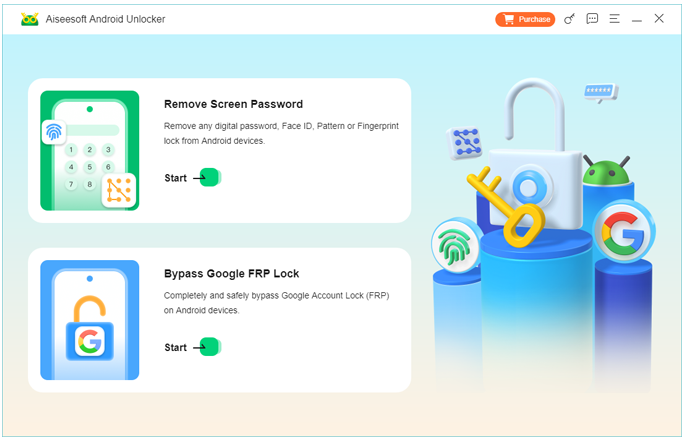
1.Download & install iDatapp Android Unlocker on your PC. Launch the tool → choose “Bypass Google FRP Lock”.
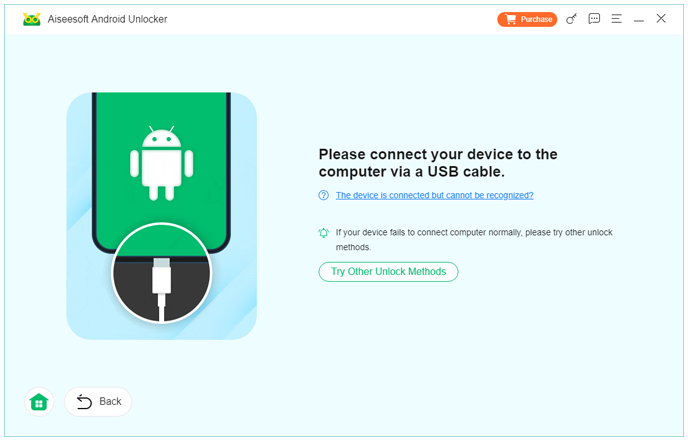
2.Connect your Android 15 device via USB.
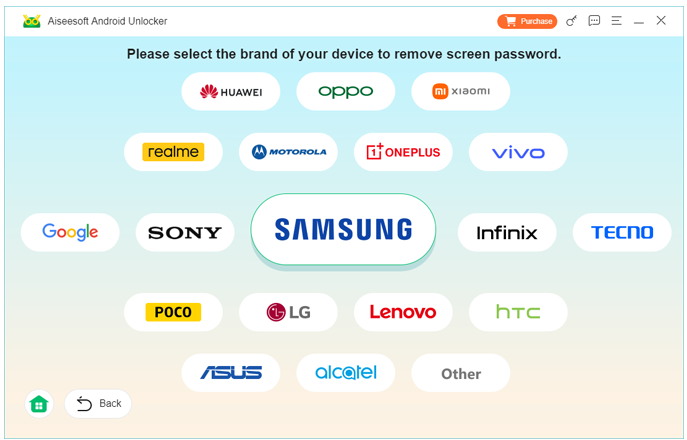
3.Select the correct brand/model if prompted.
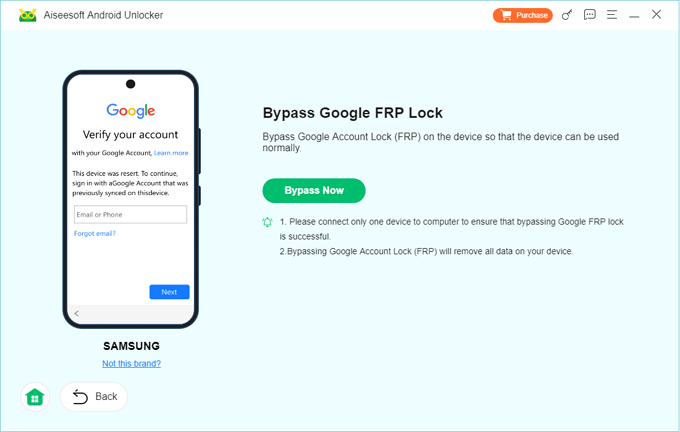
4. Click Bypass Now. The tool will auto-detect the firmware and begin the bypass process.
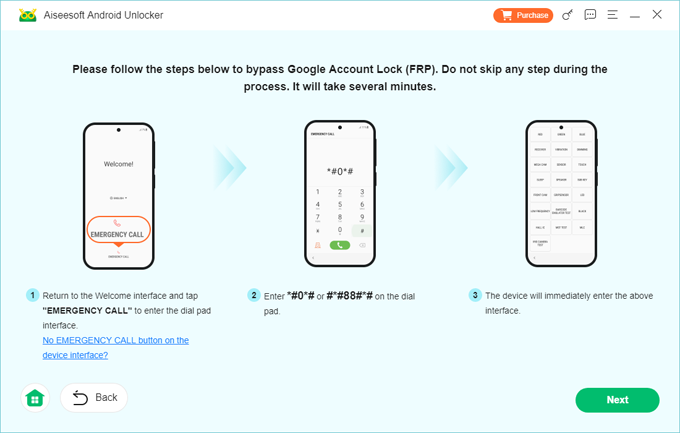
5.Wait 3–10 minutes for the FRP lock to be removed.
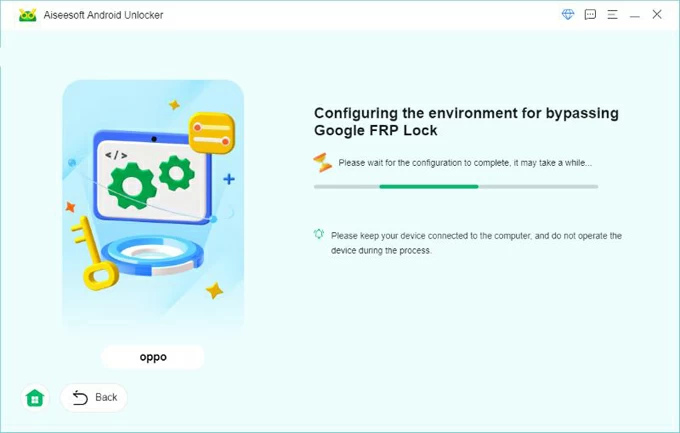
6.Restart the device → complete setup without Google verification.
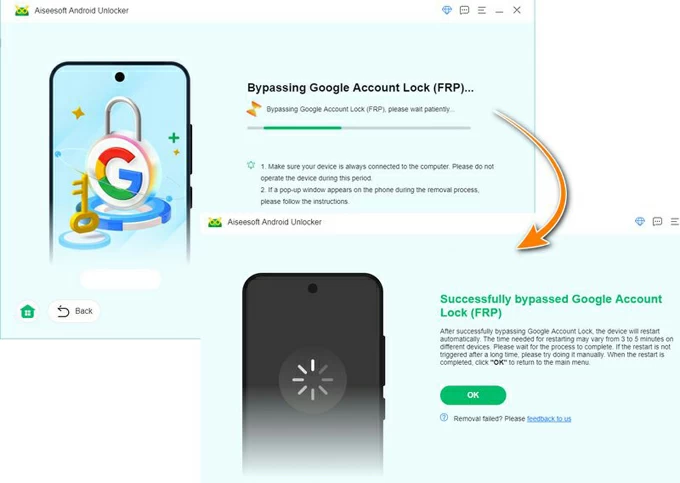
Important details:
- Safe and doesn’t damage system data.
- Supports thousands of models, including newer Android 15 builds.
- Ideal when browser access is blocked or vnRom fails entirely.
Related Android 15 Problem: Data Loss After Reset (and How to Recover It)
Users dealing with FRP bypass issues on Android 15 often face a second, equally stressful situation: unexpected data loss. Many people attempt a forced factory reset when stuck on a Google verification screen. Others flash firmware, downgrade the OS, or wipe partitions in recovery mode hoping it will remove FRP. But all these actions can result in deleted photos, videos, WhatsApp messages, contacts, and internal memory files.
This problem is extremely common on Samsung, Xiaomi, and Pixel phones—three brands heavily used in international markets and also among the first to receive the newest Android versions.
Once the wipe is done, the data seems gone, and users panic. Is everything lost forever?
Fortunately, no.
Android OS resets don’t overwrite all sectors immediately. Some partitions remain recoverable if the phone hasn’t been fully rewritten. This is where a powerful recovery tool becomes essential.
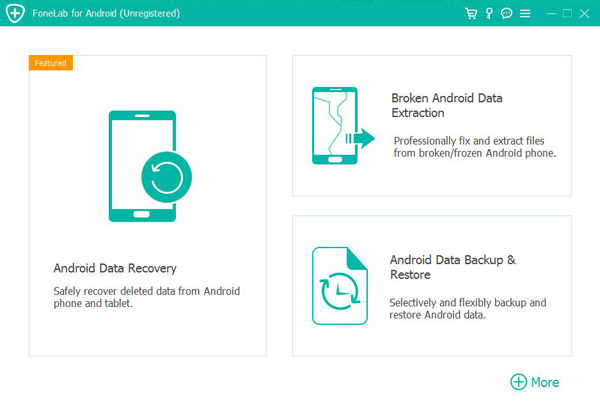
Matching Solution from idatapp.com: iDatapp Android Data Recovery
The ideal tool for this situation is iDatapp Android Data Recovery (available at idatapp.com/software/android-data-recovery). This software can scan your phone’s internal storage—even after a hard reset or system crash—and restore:
- Photos & videos
- WhatsApp attachments
- Contacts & call logs
- Messages
- Documents
- App data
It works by reading deep system storage and rebuilding recoverable fragments into usable files.
When this tool helps most:
- You factory-reset a Samsung/Xiaomi/Pixel device while trying FRP methods.
- Your phone was stuck in a boot loop after Android 15 update, and you reset it.
- You tried vnRom methods, then accidentally wiped the entire device.
- Your device was flashed using fastboot or recovery, deleting personal data.
If you’re facing data loss alongside FRP issues, pairing Android Unlocker (to unlock the phone) with Android Data Recovery (to restore wiped data) gives you the highest chance of saving both the device and your important information.
FAQ Section
Is vnRom safe for Android 15?
Generally yes, but it’s not always reliable on newer security patches. It doesn’t harm your device, but success depends heavily on your model and patch level.
Why does vnRom bypass fail on some Android 15 phones?
Android 15 blocks many browser and settings entry points. This can prevent APK installation or block the FRP bypass shortcut entirely.
Do I need the previous Google account to unlock FRP?
Not if you use a professional tool like iDatapp Android Unlocker, which removes FRP without requiring old credentials.
Will bypassing FRP delete my data?
Manual tricks can sometimes cause resets, but iDatapp software performs the bypass without wiping existing data.
Can I recover deleted files after a factory reset?
Yes—iDatapp Android Data Recovery can recover data even after resets or system crashes.
Conclusion
Android 15 tightened FRP significantly, making classic vnRom tricks less effective. But with updated vnRom methods, emergency shortcuts, and professional options like iDatapp Android Unlocker, you still have reliable paths to bypass FRP. And if a factory reset caused data loss, iDatapp Android Data Recovery helps restore your important files.
 English
 Nederlands
 Tiếng Việt
 日本
日本 Español
 Português
 Deutsche
 Français
 Italiano
 Norsk
Norsk Suomalainen
 Svenska
 Dansk
Dansk Ελληνικά
 Türk
Türk русский
 हिंदी
हिंदी தமிழ்
தமிழ் Bahasa Melayu
 ไทย
ไทย 한국어
한국어 Română
 Polskie
 қазақ
қазақ Gaeilge
 繁體中文
繁體中文