
 iPhone Data Recovery
 iOS System Recovery
 iOS Backup & Restore
 iOS WhatsApp Transfer
 iOS FoneTrans
 MobieSync
 Android Data Recovery
 Broken Android Data Extraction
 Android Data Backup & Restore
 iPhone Unlocker
 Best Samsung Phone Unlock Tool
 Android Unlocker
 Win/Mac Data Recovery
 iDATAPP Screen Recorder
 2D&3D Video Converter
 Video Repair Software Ai
 AI Video Converter
 Ai Blu-ray Player
 Unlock Samsung A36 Forgot Password With 3 Proven Ways That Actually Work
Forgot the password to your Samsung Galaxy A36? This guide explains three practical unlocking methods, including iDatapp Samsung Unlocker, Find My Mobile, and factory reset, plus bonus tips to recover lost data afterward.

Forgetting the lock screen password on your Samsung Galaxy A36 can feel like being locked out of your own digital life.
Your photos, contacts, WhatsApp messages, notes, banking apps, and work files are all there—but one wrong password too many, and your phone becomes inaccessible.
The good news? In most cases, a forgotten password does not mean your Samsung A36 is permanently unusable.
This guide explores three reliable ways to unlock a Samsung Galaxy A36 when you forgot the PIN, password, or pattern. We'll also cover how to recover your data if the phone has to be reset.
Guide List
- Why You May Be Locked Out of Your Samsung Galaxy A36?
- Method 1: Unlock Samsung A36 Without Password Using iDatapp Samsung Unlocker (Best Option)
- Method 2: Unlock Samsung A36 via Samsung Find My Mobile
- Method 3: Factory Reset Samsung A36 Using Recovery Mode
- Which Method Should You Choose?
- Recover Data Lost After Unlocking Samsung A36
- Frequently Asked Questions
Why You May Be Locked Out of Your Samsung Galaxy A36?
The Samsung Galaxy A36 uses Samsung's One UI security system, which is designed to protect your personal data. If you enter the wrong password repeatedly, the phone can temporarily lock you out.
Common situations include:
- You recently changed the PIN and forgot it.
- A family member changed the password.
- You bought a second-hand Samsung A36.
- Fingerprint unlock stopped working.
- Your child set an unknown lock pattern.
- You haven't used the phone for months.
Depending on your setup, you may still be able to unlock the device without losing data.
Method 1: Unlock Samsung A36 Without Password Using iDatapp Samsung Unlocker (Best Option)
If you want the simplest and most reliable solution, iDatapp Samsung Unlocker is specifically designed to remove:
- PIN codes
- Passwords
- Pattern locks
- Fingerprint locks
- Face recognition locks
- Google FRP lock
Unlike manual methods, the software guides you step by step and supports a wide range of Samsung devices, including the Galaxy A36.
Why This Method Stands Out?
- Beginner-friendly interface
- High success rate
- No technical knowledge required
- Supports most Samsung phones and tablets
- Can remove Google account verification lock
How to Unlock Samsung A36 with iDatapp Samsung Unlocker?
Step 1: Download and Install the Software
Install the program on your Windows PC or Mac.
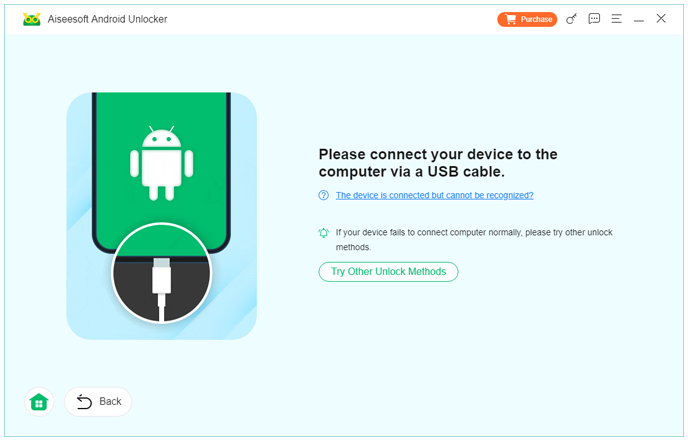
Step 2: Connect Your Samsung A36
Use a USB cable to connect the locked phone.
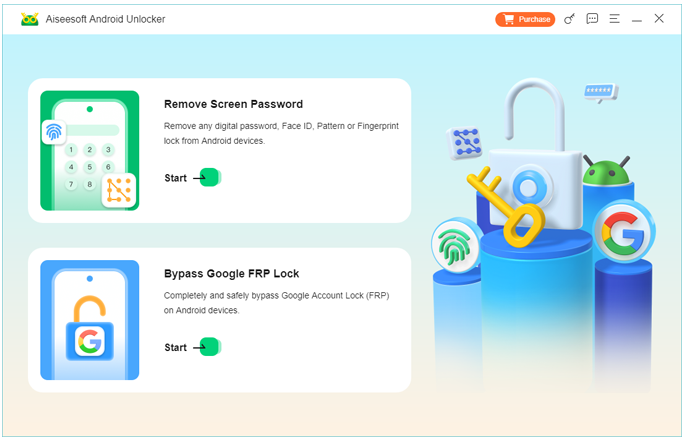
Step 3: Choose "Remove Screen Password"
Select the feature from the main dashboard.
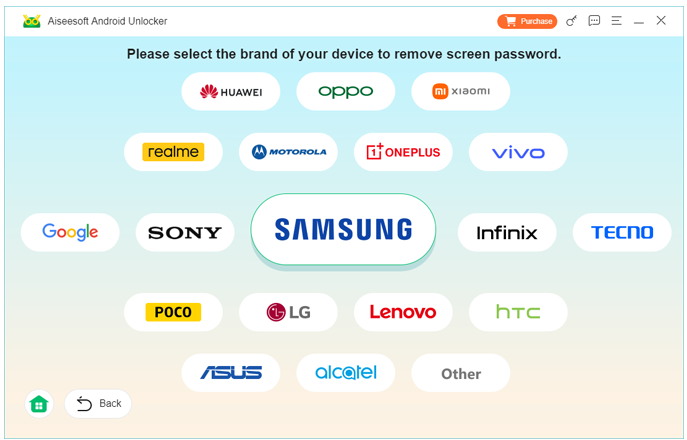
Step 4: Confirm Device Information
The software detects your device model automatically.
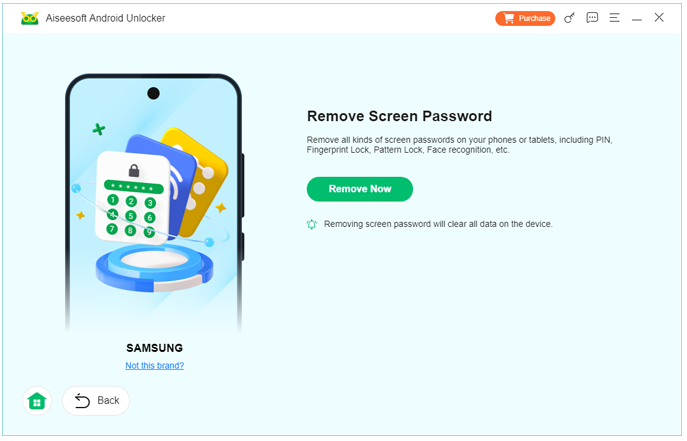
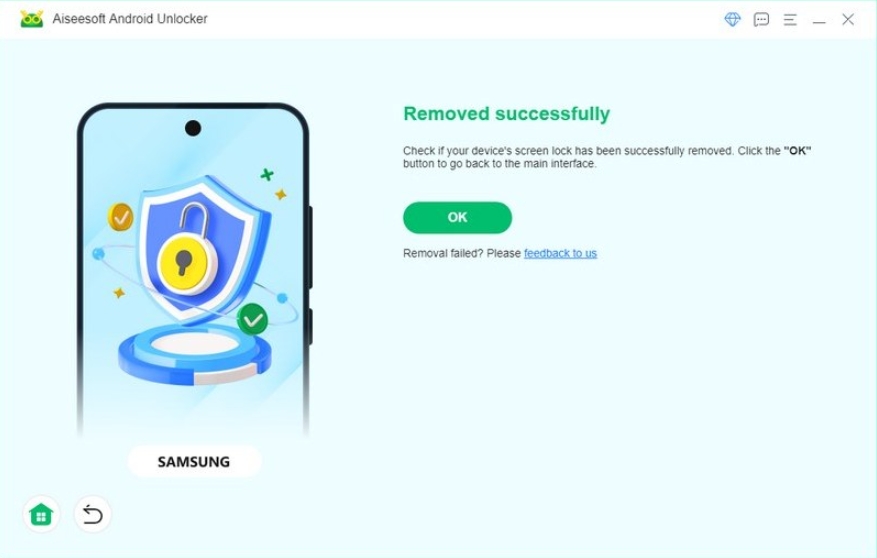
Step 5: Start Unlocking
Click Remove Now and wait several minutes.
Step 6: Set Up the Phone
Once the lock screen is removed, you can create a new password.
Notes
- In some cases, the process may erase device data.
- If FRP is enabled, the software can help remove it.
Method 2: Unlock Samsung A36 via Samsung Find My Mobile
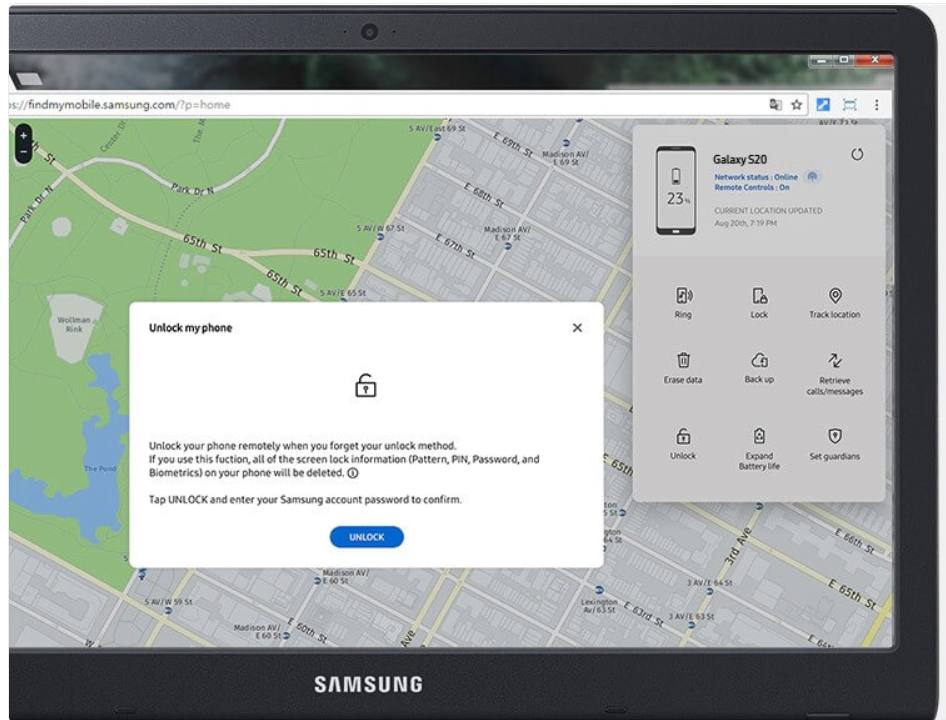
If your Samsung account was previously signed in and Remote Unlock is enabled, Samsung’s official service can unlock the device remotely.
Use Samsung Find My Mobile from any browser.
Requirements
- Samsung account on the phone
- Internet connection on the device
- Remote controls enabled
Steps to Remotely Unlock Samsung A36:
- Visit Samsung Find My Mobile.
- Sign in with your Samsung account.
- Select your Galaxy A36.
- Click Unlock.
- Enter your Samsung account password again.
- Wait for the screen lock to be removed.
Why This Method Is Excellent ?
- No software installation
- No USB cable needed
- Usually preserves data
Limitations
- Won't work if Remote Unlock was not enabled beforehand.
- Requires the phone to be online.
Method 3: Factory Reset Samsung A36 Using Recovery Mode
If the previous methods are unavailable, a factory reset will remove the password by erasing all content on the device.
When to Use This Method?
- You don't have access to your Samsung account.
- Find My Mobile is unavailable.
- You need a guaranteed unlock solution.
Steps to Reset Samsung A36:
1.Turn off the phone.
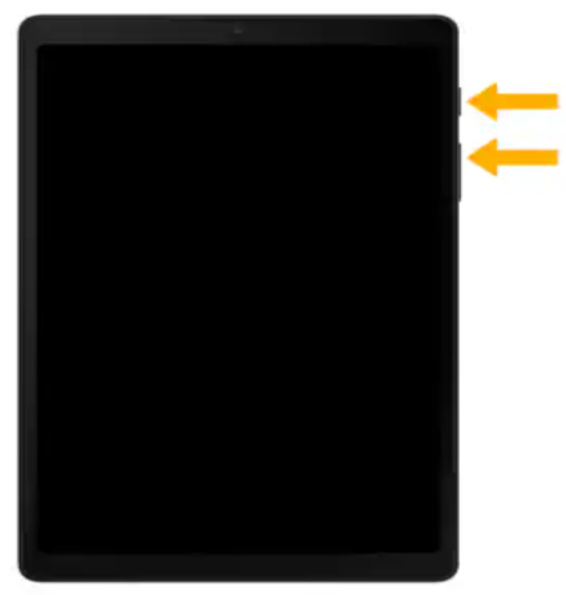
2.Connect it to a PC using USB.
3.Press and hold Volume Up + Power.
4.Release buttons when the Samsung logo appears.
5.Select Wipe data/factory reset.
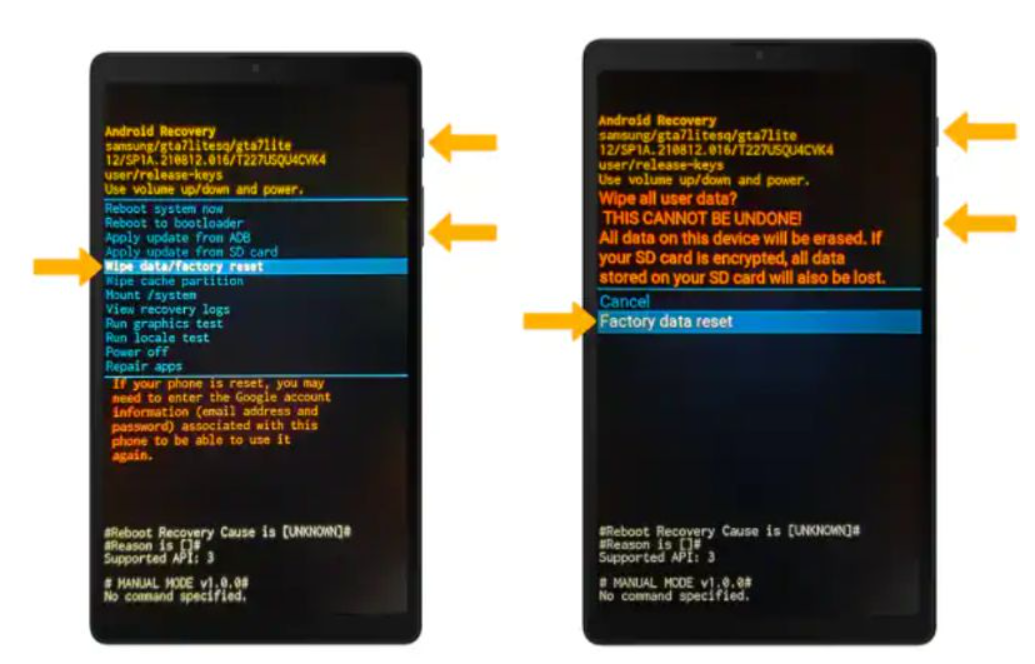
6.Choose Factory data reset.
7.Select Reboot system now.
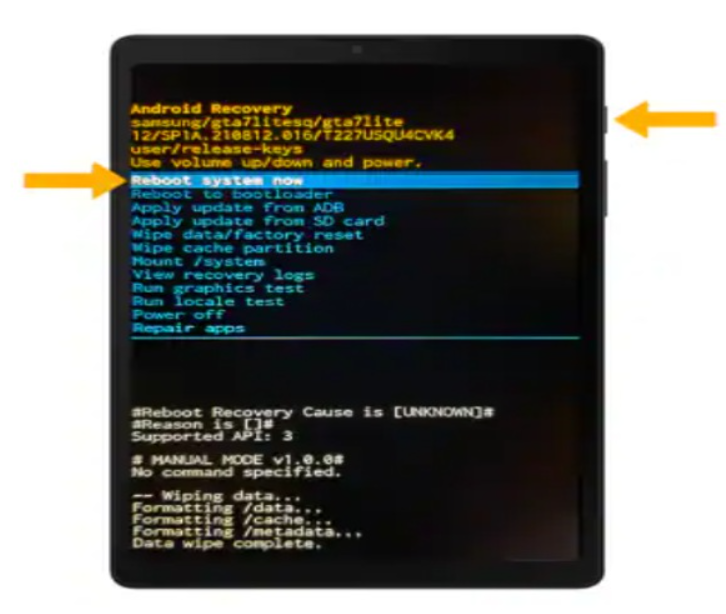
After the Reset
If Google Factory Reset Protection (FRP) is enabled, you'll need the previously synced Google account credentials.
Pros and Cons
Pros
- Works almost every time.
- No additional software required.
Cons
- Deletes all data.
- May trigger FRP verification.
Which Method Should You Choose?
|
Situation |
Best Method |
|
Need easiest solution |
iDatapp Samsung Unlocker |
|
Samsung account available |
Find My Mobile |
|
No account or software access |
Factory Reset |
Recover Data Lost After Unlocking Samsung A36
A common side effect of unlocking attempts—especially factory reset—is data loss.
You may discover that:
- Photos are missing
- Contacts disappeared
- Notes were deleted
- WhatsApp messages are gone
Fortunately, iDatApp Android Data Recovery can scan your Samsung phone and recover deleted files.
Real-World Scenario
A Galaxy A36 user forgot the lock password and performed a factory reset using Recovery Mode. The phone unlocked successfully, but over 3,000 photos and dozens of important contacts were erased.
By connecting the reset phone to iDatapp Android Data Recovery, the software scanned internal storage and restored:
- JPEG and PNG photos
- Videos
- Contacts
- SMS
- WhatsApp attachments
- Samsung Notes
How It Works
- Install the recovery software on your computer.
- Connect your Samsung A36.
- Enable USB debugging if possible.
- Scan the device.
- Preview recoverable data.
- Restore selected files to your computer.
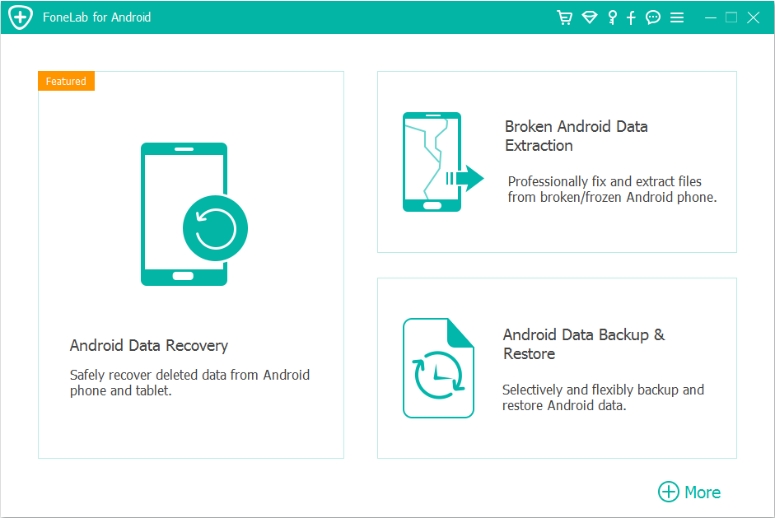
Why Samsung Users Often Need This Tool
Samsung phones are highly secure, but that security can make accidental data loss more stressful. Whether caused by a reset, failed system update, or software crash, deleted files are often still recoverable if scanned quickly.
Other Situations It Can Handle
- Black screen devices
- Water-damaged phones
- SD card corruption
- Virus attacks
- Rooting errors
- System crashes
For anyone unlocking a Samsung phone, having a reliable recovery tool is a smart backup plan.
Frequently Asked Questions
Can I unlock Samsung A36 without losing data?
Yes. Samsung Find My Mobile typically preserves data. iDatapp Samsung Unlocker may also preserve data depending on the device state and Android version.
What if I forgot my Google account after resetting?
You must enter the previously synced Google account due to Factory Reset Protection. If you can't, iDatapp Samsung Unlocker can help remove FRP.
Does Samsung offer an official unlock service?
Yes, Samsung Find My Mobile is the official remote unlock solution.
Is the Samsung A36 supported by iDatapp Samsung Unlocker?
Yes. The software supports most modern Samsung Galaxy models, including A-series devices.
How long does unlocking take?
Usually 5–15 minutes depending on the selected method.
Conclusion
Forgetting your Samsung Galaxy A36 password can be frustrating, but it's rarely a permanent problem.
- iDatapp Samsung Unlocker offers the fastest and most user-friendly solution.
- Samsung Find My Mobile is ideal if your Samsung account is configured.
- Recovery Mode factory reset works when all else fails.
If you lose data during the process, iDatapp Android Data Recovery can help restore your valuable files.
With the right method, you can regain full access to your Samsung A36 and get back to using your phone normally.
 English
 Nederlands
 Tiếng Việt
 日本
日本 Español
 Português
 Deutsche
 Français
 Italiano
 Norsk
Norsk Suomalainen
 Svenska
 Dansk
Dansk Ελληνικά
 Türk
Türk русский
 हिंदी
हिंदी தமிழ்
தமிழ் Bahasa Melayu
 ไทย
ไทย 한국어
한국어 Română
 Polskie
 қазақ
қазақ Gaeilge
 繁體中文
繁體中文