
 iPhone Data Recovery
 iOS System Recovery
 iOS Backup & Restore
 iOS WhatsApp Transfer
 iOS FoneTrans
 MobieSync
 Android Data Recovery
 Broken Android Data Extraction
 Android Data Backup & Restore
 iPhone Unlocker
 Best Samsung Phone Unlock Tool
 Android Unlocker
 Win/Mac Data Recovery
 iDATAPP Screen Recorder
 2D&3D Video Converter
 Video Repair Software Ai
 AI Video Converter
 Ai Blu-ray Player
 Can I Recover Deleted Text Messages on Pixel 10?
This guide explains how to recover deleted text messages on Pixel 10 using backups, professional recovery software, and alternative methods—plus solutions for system-related data loss common on Pixel devices.
How to Recover Deleted Text Messages on Google Pixel 10?
Losing text messages on a brand-new phone like the Google Pixel 10 feels especially painful. These aren’t just casual chats—they may contain verification codes, legal conversations, work instructions, or messages from people you can’t easily reach again. And because Pixel devices run a clean, security-focused version of Android, recovery isn’t always obvious.

This article doesn’t recycle generic advice. Instead, it breaks down how SMS deletion actually works on Pixel 10, explains why messages sometimes still exist after deletion, and then walks you through three practical, proven recovery methods—from built-in Google mechanisms to a deeper recovery solution using professional tools from our own website.
If you deleted text messages on Pixel 10 and think they’re gone forever, pause. In many cases, they aren’t.
Guide List
- Why Deleted Text Messages on Pixel 10 May Still Be Recoverable?
- Recovery Strategy Overview (Before You Start)
- Method 1: Recover Deleted Text Messages on Pixel 10 from Google Backup
- Method 2: Recover Deleted Pixel 10 Messages Using Android Data Recovery
- Method 3: Recover Pixel 10 Messages via Carrier Records (Situational)
- Data Loss After System Update or Android Crash
- Frequently Asked Questions
Why Deleted Text Messages on Pixel 10 May Still Be Recoverable?
Before jumping into solutions, it’s important to understand what “deleted” means on Android, especially on Google Pixel phones.
When you delete an SMS on Pixel 10, Android doesn’t immediately erase the message data. Instead, it marks that storage space as available. Until new data overwrites it, the message may still physically exist. This is why timing matters—the sooner you act, the higher the recovery success rate.
Pixel 10 complicates things slightly:
- It uses enhanced encryption
- Background syncing with Google is aggressive
- Automatic system optimization may overwrite old data faster
So the real question becomes:
Was the message backed up, archived, or only logically deleted?
That’s where the recovery methods below come in.
Recovery Strategy Overview (Before You Start)
If you want the best possible outcome:
- Stop using your Pixel 10 immediately
- Disable mobile data and Wi-Fi (to prevent overwriting)
- Avoid installing random apps from the Play Store
- Choose the method that matches how your message was lost
Now let’s recover those messages—properly.
Method 1: Recover Deleted Text Messages on Pixel 10 from Google Backup
Best for: Users who had Google Backup enabled before deletion
Google Pixel phones are tightly integrated with Google services. If backup was enabled, your SMS messages may already be safely stored in your Google account—silently waiting to be restored.
However, Google backups don’t allow selective message recovery. You’ll need to restore the entire backup, which resets the device. This method works best when messages were deleted recently and no newer backup has overwritten the old one.
How This Method Works?
Google Backup periodically saves SMS data when your Pixel 10 is idle, charging, and connected to Wi-Fi. If messages were deleted after the last successful backup, restoring the phone to that backup version brings them back. The downside is that any data added after that backup will be erased. This method is safe and official but inflexible. Still, for many Pixel users, it’s the fastest path to message recovery without third-party scanning.
Steps to Restore Messages from Google Backup:
- Go to Settings > Google > Backup
- Confirm SMS backup exists
- Factory reset Pixel 10
- Restart and begin setup
- Sign in with the same Google account
- Choose the backup containing SMS
- Complete setup and check Messages app
Important Details
- Overwrites current phone data
- No preview before restore
- Backup must predate deletion
Method 2: Recover Deleted Pixel 10 Messages Using Android Data Recovery
Best for: Messages deleted without backup, accidental deletion, system glitches
When Google Backup isn’t an option, this is where true data recovery begins.
The Android Data Recovery tool from iDatapp is designed to scan Android devices at a deeper level, identifying recoverable SMS data—even after deletion. Unlike cloud restores, this method doesn’t require resetting your Pixel 10, and it allows you to preview messages before recovery.
This approach is especially useful for Pixel users because Google’s clean Android environment minimizes app interference, improving scan accuracy.
How This Method Works?
Android Data Recovery connects your Pixel 10 to a computer and analyzes message databases stored within Android’s internal storage. Deleted SMS records often remain intact until overwritten. The software identifies these records, reconstructs readable message threads, and lets you selectively recover them. Because it doesn’t rely on Google backups or carrier syncing, this method works even when messages were deleted weeks ago—provided the data hasn’t been overwritten.
Steps to Recover Deleted Messages with Android Data Recovery:
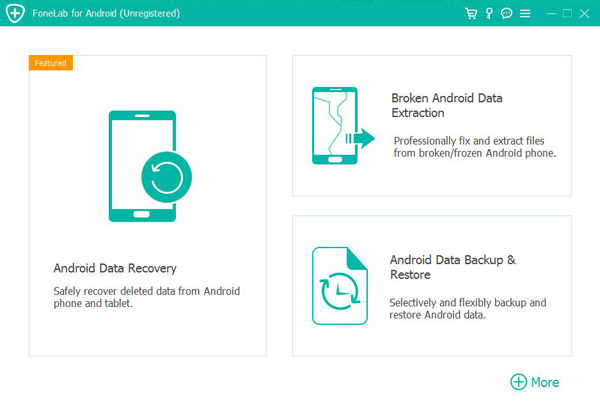
1.Download and install Android Data Recovery and launch the program on your computer
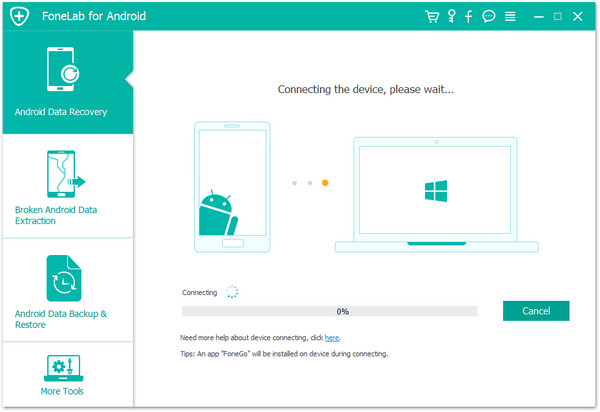
2.Connect Pixel 10 via USB cable
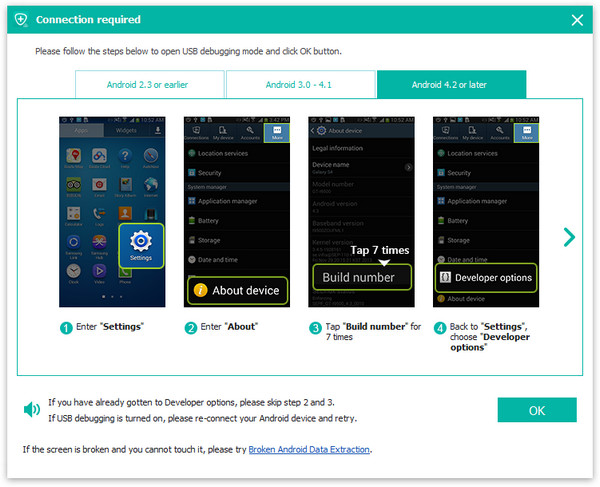
3.Enable USB debugging when prompted
4.Select Messages as the scan target
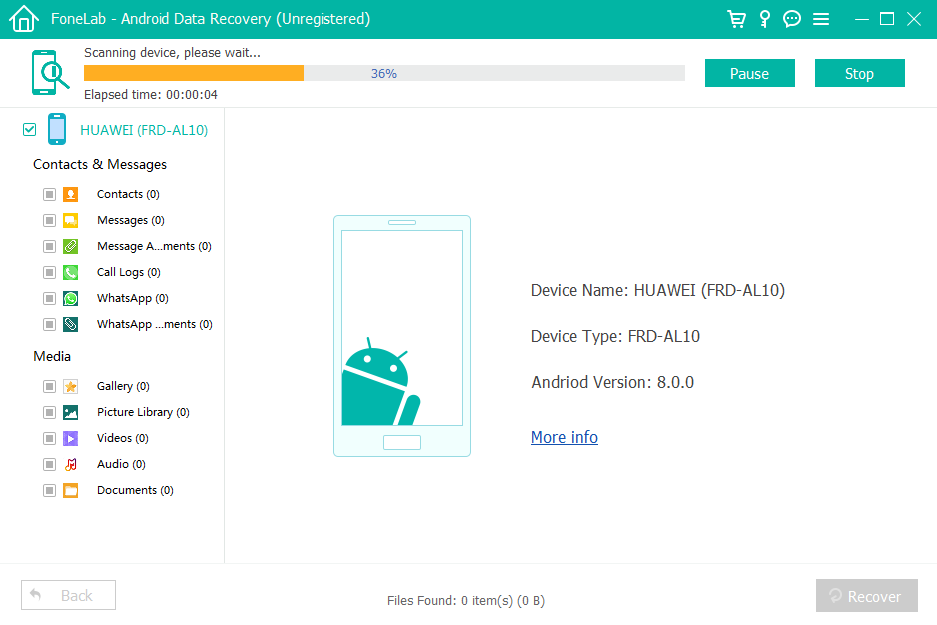
5.Preview recoverable SMS messages
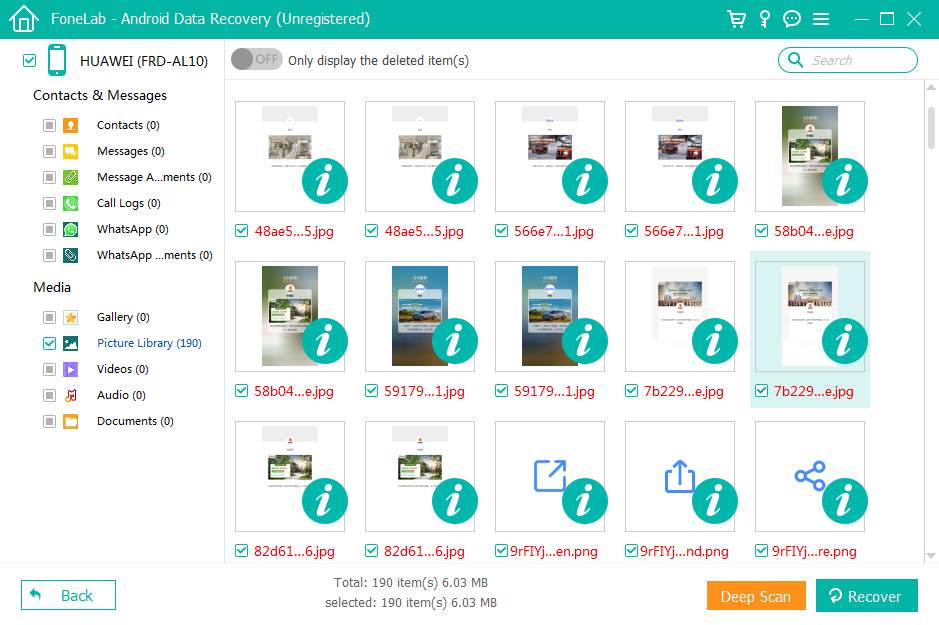
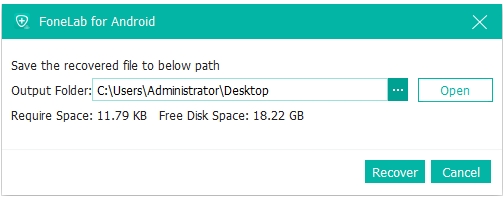
6.Select desired messages and click Recover to save them
Important Details
- Works without factory reset
- Supports selective recovery
- Higher success rate if used early
Method 3: Recover Pixel 10 Messages via Carrier Records (Situational)
Best for: Legal, billing, or verification messages
Mobile carriers don’t store full SMS content long-term—but in certain cases, partial records or transcripts can be retrieved. This is not a typical recovery method, but it’s worth mentioning for specific use cases.
How This Method Works?
Carriers log message metadata for billing and compliance. While they usually don’t store message content, exceptions exist—especially for business accounts, legal disputes, or court-ordered requests. Some carriers can provide message timestamps, numbers, and in rare cases, content summaries. This method is slow, limited, and heavily regulated, but it can help when message evidence matters more than convenience.
Steps to Request SMS Records from Carrier:
- Contact your carrier’s support team
- Request SMS records or transcripts
- Verify identity and account ownership
- Submit written request if required
- Wait for carrier response
Important Details
- Content recovery is rare
- Privacy laws apply
- Not suitable for casual recovery
Data Loss After System Update or Android Crash
Pixel phones—including Pixel 10—are often early adopters of new Android versions. While this is exciting, it also introduces risk.
A Common Pixel Scenario
A Pixel 10 user installs a major Android update. The phone reboots, but afterward:
- Messages disappear
- Contacts vanish
- App data resets
- The system becomes unstable
This isn’t accidental deletion—it’s system-level data loss caused by update conflicts, interrupted installs, or corrupted partitions.
How This Problem Is Solved?
On the iDatapp website (https://idatapp.com), there are Android-focused recovery tools that address system-induced data loss, not just deletion.
These tools are built to:
- Recover SMS after system crashes
- Extract data from phones stuck in boot loops
- Export messages even when the phone won’t fully boot
- Recover data after failed updates or rooting errors
Why Pixel Users Face This More Often?
Pixel devices receive updates first. That means:
- Less real-world testing before release
- Greater risk during early rollout
- Higher chance of incompatibility with existing data
When this happens, waiting makes things worse. System overwrites happen fast. Using a recovery solution designed for post-crash Android environments can be the difference between permanent loss and full recovery.
Frequently Asked Questions
Can I recover deleted text messages on Pixel 10 without backup?
Yes. Professional recovery tools can retrieve messages that haven’t been overwritten.
How long do deleted messages stay recoverable?
It depends on usage. Heavy phone activity shortens the window significantly.
Does Pixel 10 encrypt SMS data?
Yes, but deleted message fragments can still be recoverable.
Will recovery damage my phone?
No, reputable recovery tools operate in read-only mode.
Are third-party apps from Play Store effective?
Most are not. Many lack deep scan access and may overwrite data.
Conclusion
Recovering deleted text messages on Pixel 10 is possible through backups, deep recovery software, or situational carrier records. Acting quickly and choosing the right method dramatically improves success.
 English
 Nederlands
 Tiếng Việt
 日本
日本 Español
 Português
 Deutsche
 Français
 Italiano
 Norsk
Norsk Suomalainen
 Svenska
 Dansk
Dansk Ελληνικά
 Türk
Türk русский
 हिंदी
हिंदी தமிழ்
தமிழ் Bahasa Melayu
 ไทย
ไทย 한국어
한국어 Română
 Polskie
 қазақ
қазақ Gaeilge
 繁體中文
繁體中文