
 iPhone Data Recovery
 iOS System Recovery
 iOS Backup & Restore
 iOS WhatsApp Transfer
 iOS FoneTrans
 MobieSync
 Android Data Recovery
 Broken Android Data Extraction
 Android Data Backup & Restore
 iPhone Unlocker
 Best Samsung Phone Unlock Tool
 Android Unlocker
 Win/Mac Data Recovery
 iDATAPP Screen Recorder
 2D&3D Video Converter
 Video Repair Software Ai
 AI Video Converter
 Ai Blu-ray Player
 Samsung FRP Remove by IMEI Free|Unlock Samsung Google FRP Easily
Learn the truth about removing Samsung FRP by IMEI for free, explore real methods that work today, and discover reliable solutions for unlocking FRP-locked Samsung devices safely.
How to Remove Samsung FRP by IMEI for Free?
Why Samsung FRP Exists — and Why So Many Users Get Stuck
Factory Reset Protection (FRP) is Google’s built-in anti-theft mechanism for Android devices, and Samsung phones enforce it aggressively. Once a Samsung phone is factory reset without first removing the Google account, the device locks itself and demands the previously synced Google account during setup. This is where problems begin.

Many users search for “remove Samsung FRP by IMEI for free” because they:
- Bought a second-hand Samsung phone
- Forgot the Google account credentials
- Reset the phone after a system crash
- Got locked out after a One UI update or repair
IMEI-based FRP removal sounds attractive because the IMEI uniquely identifies the phone. In theory, if the IMEI proves ownership, FRP should be removable without logging in. In practice, the reality is more nuanced.
This article breaks down what is truly possible, what’s misleading online, and which legitimate, practical methods actually work today. We’ll analyze the idea of IMEI-based FRP removal, then present three real-world methods, including one professional solution from iDatapp, and finally expand into a closely related Samsung issue many users face.
Guide List
- Can You Really Remove Samsung FRP by IMEI for Free?
- Method 1: Remove Samsung FRP Using iDatapp Samsung Unlocker (Most Reliable)
- Method 2: Remove Samsung FRP via IMEI (Free, Conditional)
- Method 3: Free Manual FRP Workarounds Using System Features (Limited Success)
- Data Loss After FRP Lock or System Reset
- Frequently Asked Questions
Can You Really Remove Samsung FRP by IMEI for Free?
Let’s be honest upfront.
There is no official public Google tool that lets ordinary users remove FRP purely by entering an IMEI for free. Many websites promise “instant IMEI unlock,” but most fall into three categories:
- Data harvesting scams
- Paid services disguised as free
- Methods that no longer work on modern Samsung firmware
That said, the IMEI still plays an indirect role in certain legitimate processes:
- Carrier verification
- Samsung account ownership confirmation
- Authorized service-side unlocks
- Software-assisted FRP bypass workflows
So instead of chasing myths, the smart approach is to use IMEI-aware or system-based FRP removal methods that align with how Samsung and Android actually work today.
Let’s get into the solutions.
Method 1: Remove Samsung FRP Using iDatapp Samsung Unlocker (Most Reliable)
Best for: Users who want a stable, modern FRP removal solution without Google credentials.
iDatapp Samsung Unlocker is designed specifically for Samsung devices across multiple Android and One UI versions. Rather than relying on outdated loopholes, it works by rebuilding the device’s authorization state and removing FRP restrictions at the system level. While the IMEI is not manually entered by the user, the software automatically reads device identifiers (including IMEI-related metadata) to ensure compatibility and correct unlock routing.
This method is especially effective for users who are locked out after a factory reset and cannot verify the previous Google account. It supports a wide range of Samsung models and avoids risky manual steps.
- No Google account password required
- No IMEI input needed from the user
- Works on newer Samsung firmware
- Safe and controlled unlocking process
Steps and important details:
1.Free Download and install Samsung Unlocker from idatapp.com
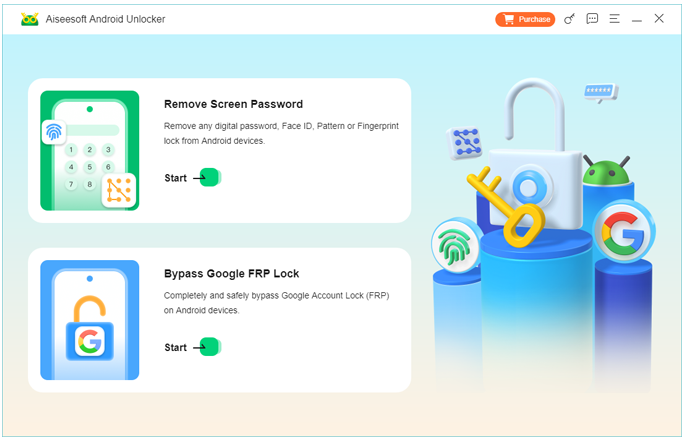
2.Launch the software and choose Bypass Google FRP Lock.
3.Connect your Samsung phone to the computer via USB.
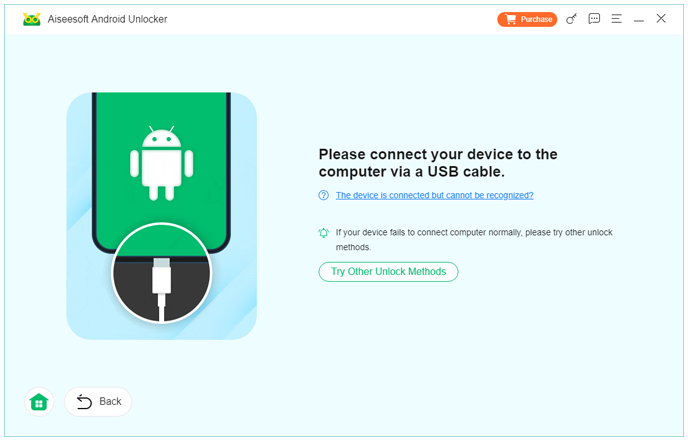
4.Follow on-screen instructions to put the device into the required mode.
5.The software detects the phone model and system version automatically.
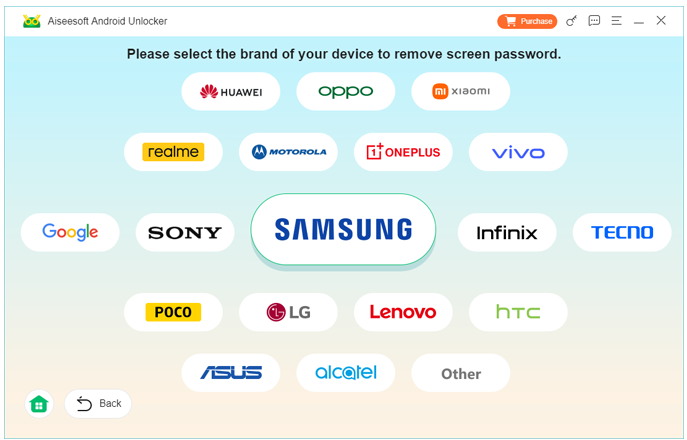
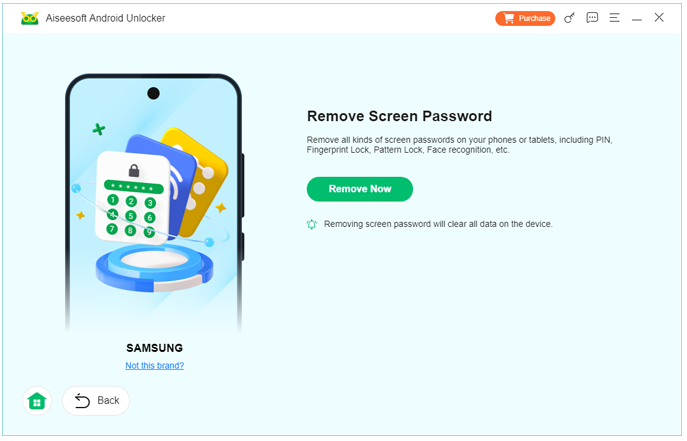
6.Complete the FRP removal process and reboot the phone.
Method 2: Remove Samsung FRP via IMEI (Free, Conditional)
Best for: Users who can prove ownership through Samsung’s ecosystem.
While this method doesn’t remove FRP directly by IMEI input, Samsung internally links IMEI, serial number, and Samsung account data. If the device was previously logged into a Samsung account, you may be able to unlock the phone through official channels.
This approach is free, but only works if you can authenticate ownership.
Steps and important details:
- Visit Samsung’s official support site or service center.
- Provide the device IMEI (found on the box, SIM tray, or receipt).
- Verify identity and ownership (proof of purchase often required).
- Samsung support may remotely remove the FRP lock or guide you through recovery.
Key points:
- 100% legitimate and safe
- Requires proof of ownership
- Not guaranteed for second-hand devices
- Time-consuming compared to software methods
This is the closest thing to a true IMEI-based FRP removal, but it’s not always accessible to everyday users.
Method 3: Free Manual FRP Workarounds Using System Features (Limited Success)
Best for: Older Samsung models or users willing to experiment.
Some Samsung devices allow partial access to system features during setup, such as:
- Emergency call interfaces
- Accessibility settings
- System UI redirects
These methods attempt to bypass FRP by reaching device settings and adding a new Google account. While often labeled as “free IMEI FRP removal,” they do not actually use the IMEI and rely on firmware loopholes.
Steps and important details:
- Power on the Samsung phone and start setup.
- Trigger accessibility or emergency options.
- Attempt to access Settings or browser.
- Add a new Google account.
- Restart the device.
Key points:
- Firmware-dependent
- Frequently patched by Samsung
- High failure rate on new models
- Risk of soft-locking the device
This method can work, but it’s unreliable and not future-proof.
Data Loss After FRP Lock or System Reset
One common side effect of FRP lock on Samsung phones is unexpected data loss. Many users attempt repeated factory resets, firmware flashes, or unauthorized bypass tricks, only to realize later that important data—photos, contacts, messages—are gone.
Samsung devices are particularly sensitive to:
- System partition corruption
- Interrupted updates
- Forced resets during FRP state
When this happens, users often assume recovery is impossible. In reality, data may still exist on internal storage, especially if it hasn’t been overwritten.
This is where iDatapp’s broader Android solutions come into play. On the official website (https://idatapp.com), users can find tools designed to:
- Recover deleted files after system crashes
- Extract data from Samsung phones stuck in abnormal states
- Export data before or after unlocking
The key advantage of using a dedicated recovery tool is control. Instead of blindly resetting or flashing the phone again, users can scan the storage, preview recoverable files, and save them safely to a computer.
For Samsung users dealing with FRP-related lockouts, pairing unlocking first and data recovery second is often the smartest path forward.
Frequently Asked Questions
Is it really possible to remove Samsung FRP by IMEI for free?
Not directly in most cases. IMEI-based removal usually requires official verification or professional tools.
Are online “free IMEI FRP unlock” sites safe?
Most are unreliable or scams. Avoid submitting your IMEI to unknown websites.
Will FRP removal delete my data?
Some methods may affect data. Professional tools minimize risk, but backups are always recommended.
Does FRP come back after updates?
If removed properly, FRP does not reappear unless the device is reset again.
Is FRP removal legal?
Yes—if you are the rightful owner of the device.
Final Summary
Removing Samsung FRP by IMEI for free is often misunderstood. While IMEI alone rarely unlocks a phone, combining verified ownership or reliable software solutions like iDatapp Samsung Unlocker delivers real, safe results.
 English
 Nederlands
 Tiếng Việt
 日本
日本 Español
 Português
 Deutsche
 Français
 Italiano
 Norsk
Norsk Suomalainen
 Svenska
 Dansk
Dansk Ελληνικά
 Türk
Türk русский
 हिंदी
हिंदी தமிழ்
தமிழ் Bahasa Melayu
 ไทย
ไทย 한국어
한국어 Română
 Polskie
 қазақ
қазақ Gaeilge
 繁體中文
繁體中文